
Toxic Post Blocker for Gravity Forms
Block toxic content in Gravity Forms post fields by running AI moderation directly in the visitor's browser before submission.
What it does
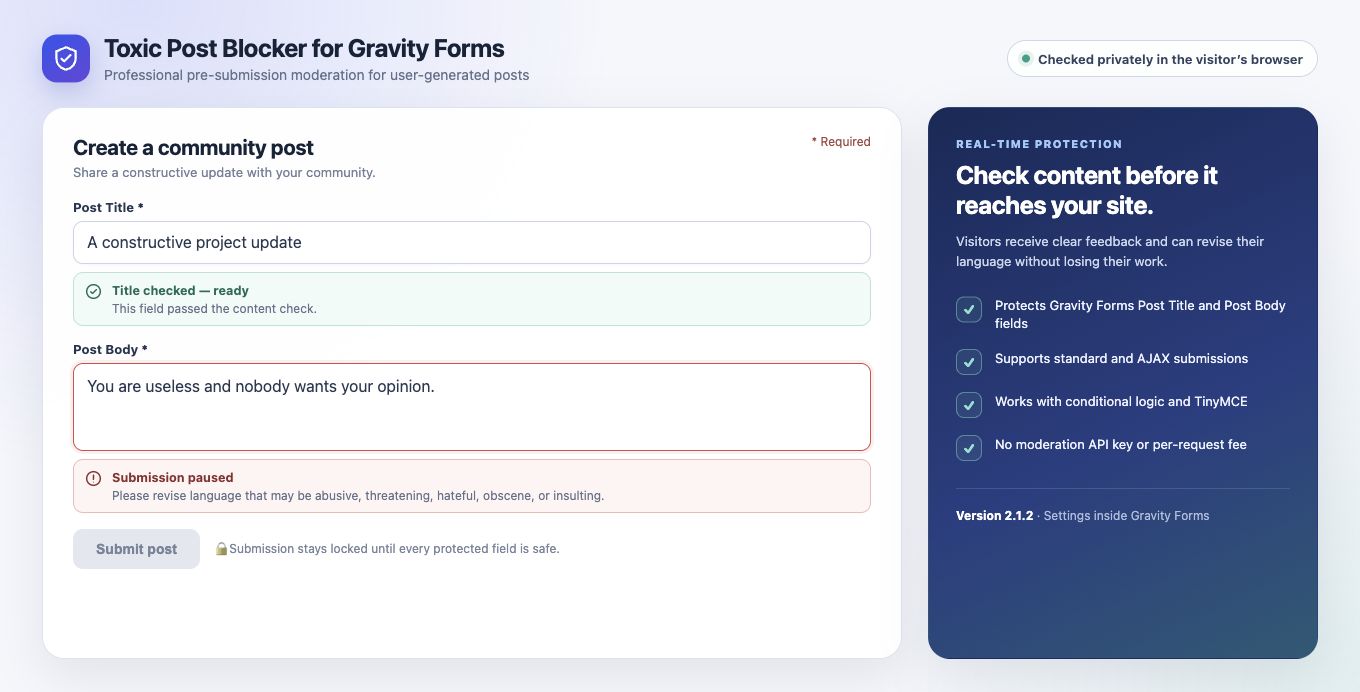
When you use Gravity Forms to let visitors submit posts, you risk receiving harmful or abusive content. Toxic Post Blocker checks Post Title and Post Body fields for toxic language before the form is ever submitted, keeping your site cleaner without manual review.
The add-on runs a BERT-based AI model entirely inside the visitor's browser using Transformers.js. No form content is sent to an external API, so there are no per-request fees and no third-party moderation service to sign up for. The form stays locked until every protected field passes the check.
You can adjust the toxicity threshold in Gravity Forms settings to match how strict you want moderation to be. If the model cannot complete a check for any reason, the form stays locked rather than letting potentially toxic content through.
Key features
- Checks Post Title and Post Body fields in real time before submission
- Runs entirely in the visitor's browser — no external API calls
- Adjustable toxicity threshold in Gravity Forms settings
- Works with standard and AJAX submissions, conditional logic, and TinyMCE
- Accessible status notices and retry states shown to the visitor
- Fail-closed: form stays locked if the model cannot complete a check
- No moderation API key or per-request AI fee required
Good for
Written from Ujwol Bastakoti’s own listing. Version and dates come straight from the source and are checked weekly.
Does this send form content to an external server?
No. The AI model runs entirely in the visitor's browser, so form content is never sent to an external moderation API.
Do I need an API key or pay per moderation request?
No. There is no moderation API key required and no per-request fee.
What happens if the AI model fails to load or complete a check?
The form stays locked and the submission is blocked until the check can be completed successfully.
Which Gravity Forms fields does it protect?
It checks the Post Title and Post Body fields.