
Jovvie In-Person Payments Gateway for Gravity Forms
Accept in-person payments through your existing Gravity Forms using Stripe or NMI card readers.
What it does
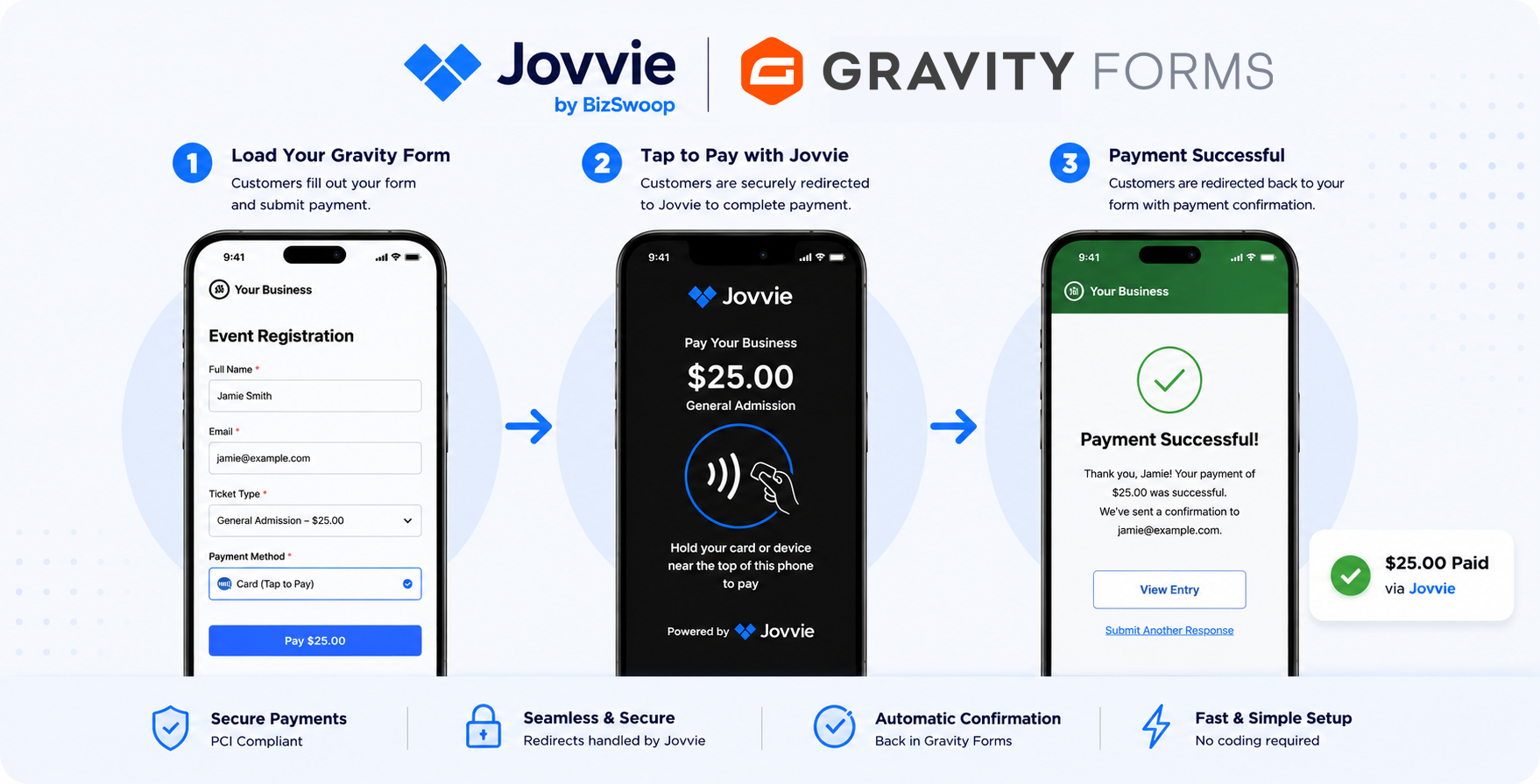
If you collect registrations, donations, or orders through Gravity Forms, you may still need a way to take payment when a customer is standing right in front of you. Jovvie bridges that gap by adding an in-person payment channel directly to your existing forms.
When a form is submitted, Gravity Forms hands off to Jovvie, which processes the payment through your own Stripe or NMI account, then returns a confirmation back to Gravity Forms. The transaction ID and payment status are saved to the entry, keeping your records in one place.
It works with physical card readers, Bluetooth readers, NFC tap-to-pay, and digital wallets like Apple Pay and Google Pay on iOS and Android. You can use it at events, markets, fundraisers, pop-up sales, appointments, and anywhere else you meet customers in person.
Key features
- Connects to your existing Stripe or NMI account for payment processing
- Supports card readers, Bluetooth readers, NFC tap-to-pay, Apple Pay, and Google Pay
- Works on iOS and Android devices
- Payment status and transaction IDs saved to each Gravity Forms entry
- Set up in minutes: connect your account, register readers, and manage terminals from the add-on settings
- Accepts payments from customers in international markets
- 1:1 setup support sessions available
Good for
Written from Jovvie’s own listing. Version and dates come straight from the source and are checked weekly.
Which payment gateways does Jovvie support?
It works with Stripe and NMI. Payments are processed through your own account with either gateway, and additional gateway support is planned.
What devices can I use to take payments?
You can use Stripe card readers, Bluetooth readers on a tablet, internet-based readers on desktop, NFC tap-to-pay, and digital wallets like Apple Pay and Google Pay on iOS and Android.
Where are payment records stored?
Transaction IDs and payment status are saved directly to each Gravity Forms entry, so your records stay in one place.
How long does setup take?
According to the listing, you can connect your account, register your readers, and manage terminals from the add-on settings in minutes. Personal 1:1 setup sessions are also available.