
Form Data Vault
Archive every Gravity Forms submission to an encrypted external cloud vault with compliance tools and cross-site search.
What it does
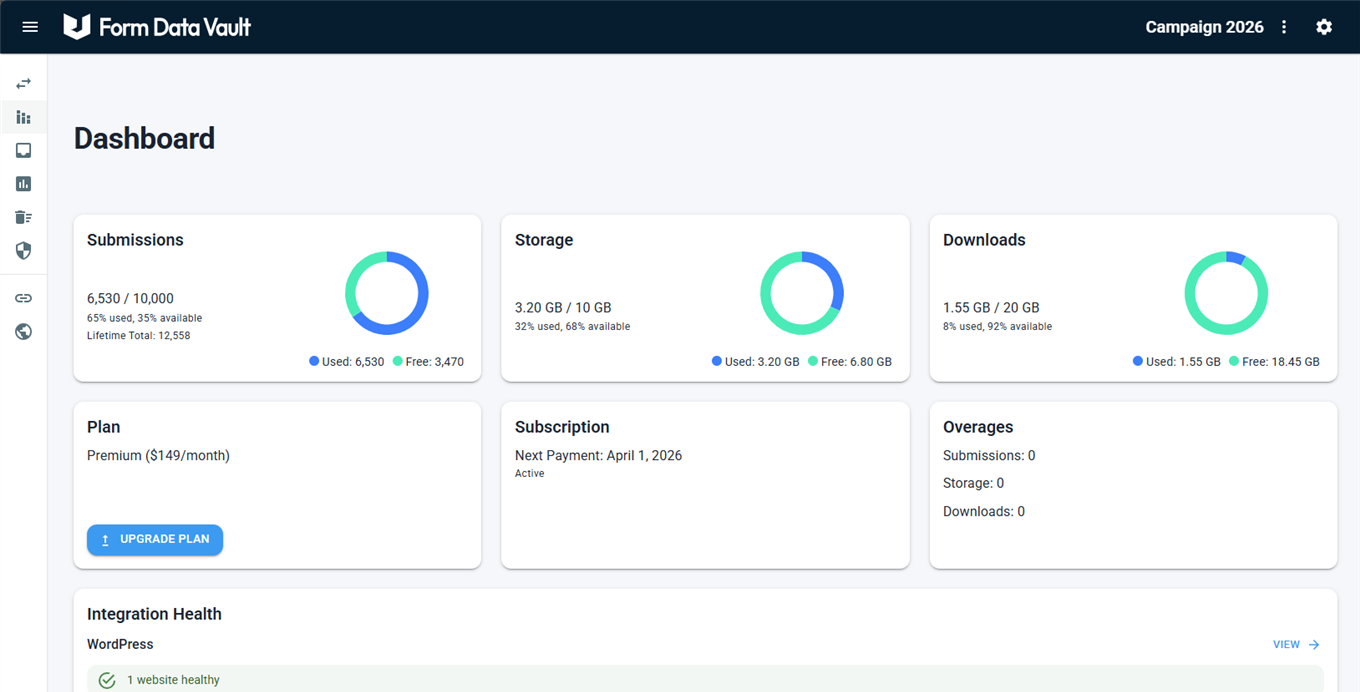
Gravity Forms stores entries inside your WordPress database, which ties them to your hosting and backups. Form Data Vault intercepts every submission the moment it arrives and copies it to an encrypted cloud archive on Microsoft Azure — completely outside your WordPress site.
You install the plugin, connect your site with an API key, and every form is captured automatically. No per-form setup is needed. Data is encrypted in transit with TLS 1.3 and at rest with AES-256, giving you a permanent record that survives site migrations, database failures, or accidental deletions.
The add-on is aimed at teams that need long-term retention, GDPR/CCPA deletion workflows, audit-ready exports, and the ability to search submissions across multiple sites or even other form tools from one dashboard.
Key features
- Automatic capture of all Gravity Forms submissions with no per-form configuration
- Encrypted cloud archive on Microsoft Azure (TLS 1.3 in transit, AES-256 at rest)
- GDPR/CCPA one-action data deletion with cryptographic proof generated automatically
- Retention policies with scheduled expiry and a full audit trail of deletions
- Cross-site and cross-platform search across all connected forms and sites
- CSV and JSON exports with cryptographic integrity hashes for audits or legal requests
- Role-based team access controls (read-only, export-only, or full access)
Good for
Written from Form Data Vault’s own listing. Version and dates come straight from the source and are checked weekly.
Do I need to configure each form separately?
No. Once you activate the plugin and connect your site with an API key, every existing and new form is captured automatically.
Where is my data stored?
All submission data is stored in Microsoft Azure, encrypted in transit with TLS 1.3 and at rest with AES-256.
Which Gravity Forms field types are supported?
Text, select, radio, checkbox, date, time, email, phone, address, number, file uploads, signature, survey fields, quiz answers, and Repeater fields are all captured.
Does it work with WordPress multisite?
Yes. Each site in a multisite network can connect independently or share a single Form Data Vault account.