
Drive Upload for Gravity Forms (Google Drive)
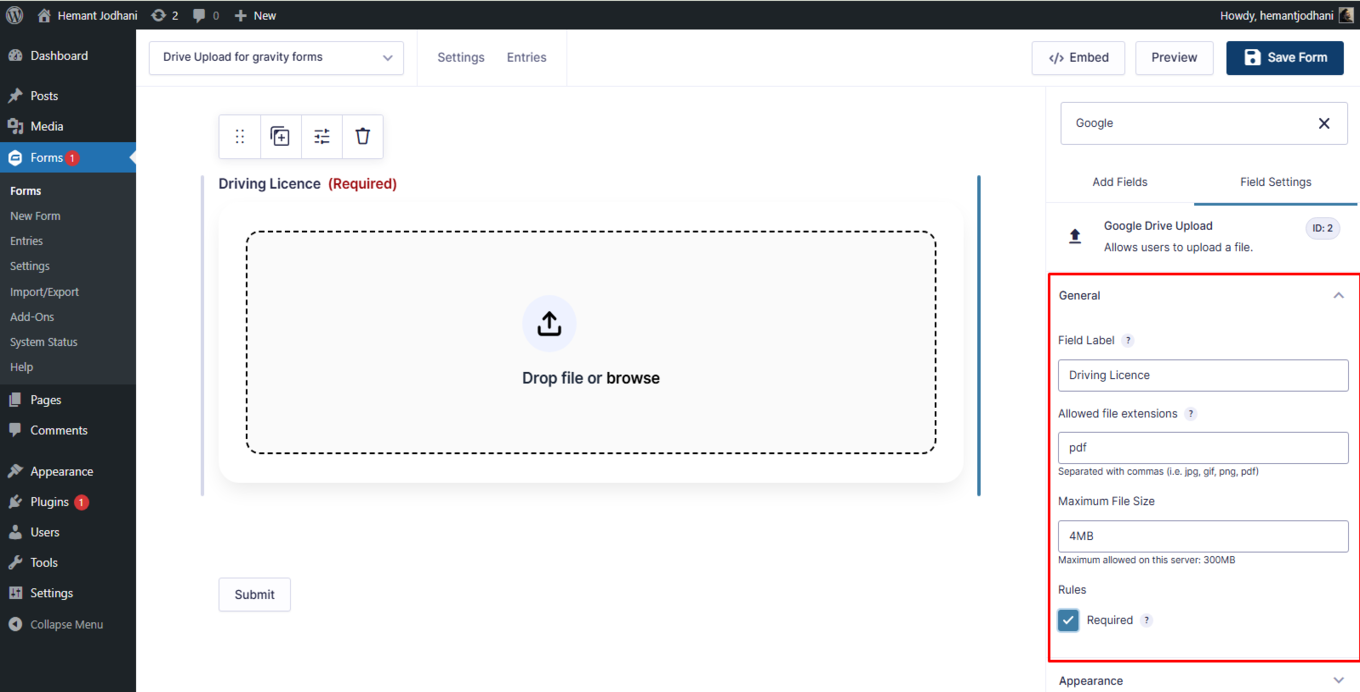
Automatically send Gravity Forms file uploads to your Google Drive account instead of storing them on your server.
What it does
When users submit files through your Gravity Forms, those files normally sit on your web server, eating into your hosting storage. This add-on routes those uploads directly to your Google Drive account instead.
It acts as a bridge between Gravity Forms and Google Drive, so every file a user submits lands in the cloud automatically. You don't have to move files manually or worry about running out of server space.
It's a good fit for site owners who collect documents, images, or other files through forms and want a simple, organized way to store them off-server.
Key features
- Automatically transfers form file uploads to your Google Drive
- Keeps user submissions organized in the cloud
- Removes the need to store uploaded files on your web server
- No monthly subscription required
Good for
Written from Hemant Jodhani’s own listing. Version and dates come straight from the source and are checked weekly.
Does this add-on cost anything?
The listing describes it as completely free with no subscription fees.
Where do the uploaded files end up?
Files go directly to your Google Drive account when a form is submitted.
Do I still need a Google account?
Yes, you need a Google Drive account to receive the uploaded files.