
To let visitors post ACF listings with Gravity Forms, map your form to an ACF post type with the Advanced Post Creation add-on, then add a short snippet that saves the mapped fields through ACF. Advanced Post Creation creates the post, the featured image and the category, but it saves custom fields as plain post meta. ACF can’t read some of those values: checkbox choices show up unchecked, and approving the post in the editor deletes them. The snippet saves each mapped field the way ACF expects, so the editor, get_field() and GenerateBlocks all show the right values.
This is lesson 3 of the ACF and Gravity Forms series. Lesson 1 sent a contact form to the email in a team member’s ACF profile, and lesson 2 filled a form’s choices and prices from ACF. This time it goes the other way: the form writes to ACF.
What We’re Building
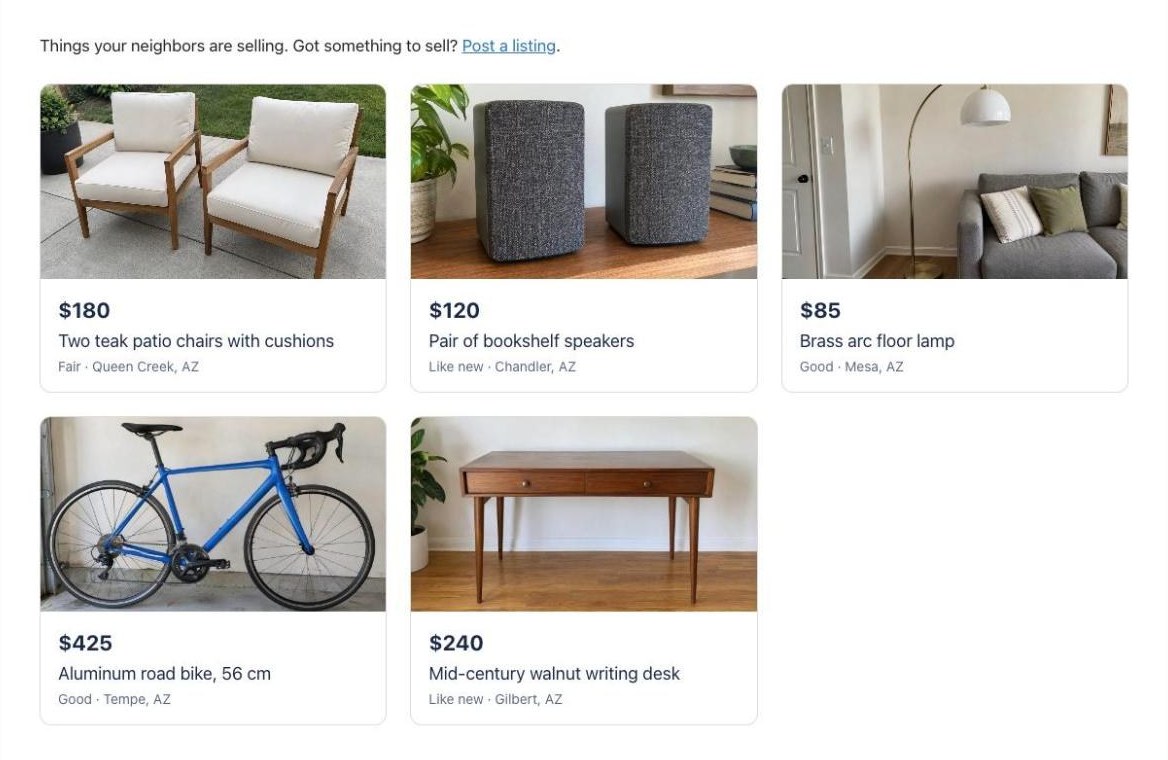
A neighborhood classifieds board. Anyone can fill in a Post a Listing form with a title, price, condition, location, pickup and delivery options and photos. Each submission becomes a pending Listing post with ACF fields. Once you approve it, it shows up on the Classifieds page, built with a GenerateBlocks query loop:
Each listing page shows the description, any extra photos, the details from ACF and a Contact the seller button:
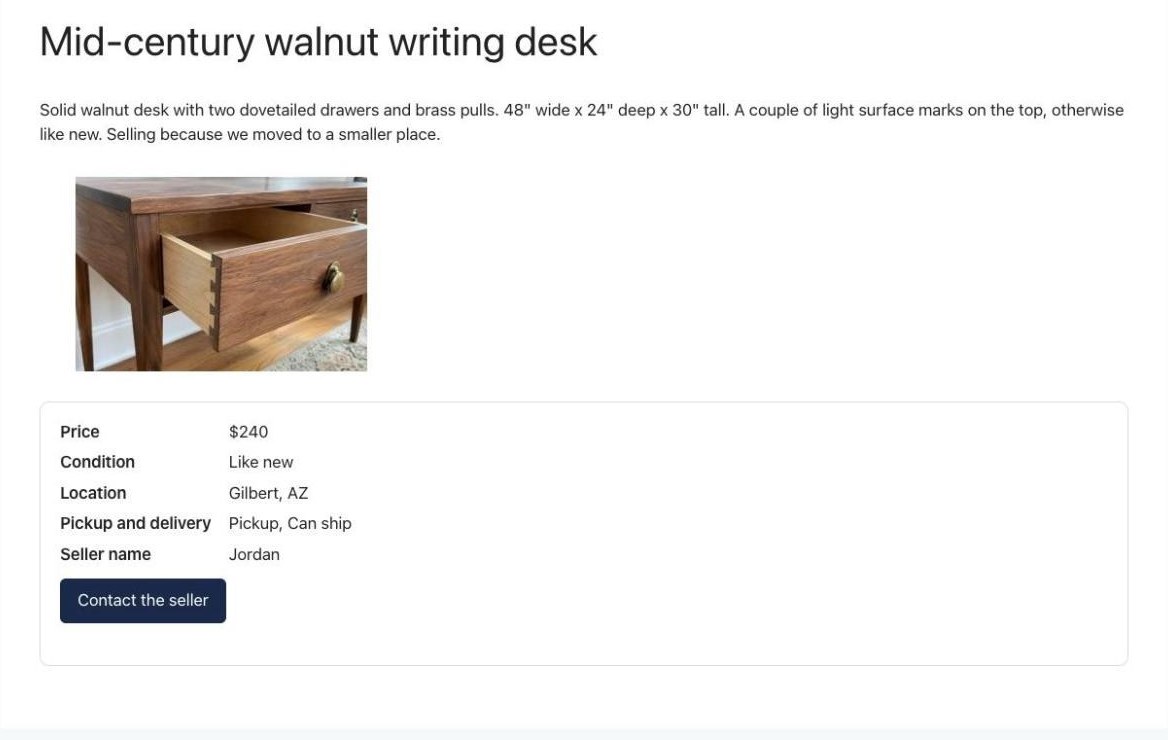
The button opens a form that emails the seller at the address they gave, using the snippet from lesson 1. Buyers never see that address.
This part is for Free account members.
Things to Know
- Advanced Post Creation runs in the background. Posts are created right after the submission through WordPress’s background processing. If listings never appear, check Tools → Site Health for loopback or WP-Cron problems.
- Choice values have to match. If the form sends
Pickupand ACF expectspickup, the box stays unchecked even with the snippet. - Want a fuller classifieds form? The Classified Ad Form template adds posting types, sizes, extra images and options to show or hide contact details.
- Want to send sellers to their listing? See how to redirect to the post Advanced Post Creation made. With Pending status, only logged-in editors can see it until you publish.
Frequently Asked Questions
Does Gravity Forms Advanced Post Creation work with ACF?
Partly. It saves custom fields as plain post meta, which is fine for text and number fields. ACF checkbox, multi-select, image and file fields need a different format and ACF's field references, so they show up empty until a snippet saves them through ACF.
Why are my ACF checkboxes empty after Advanced Post Creation creates a post?
Advanced Post Creation saves the checked choices as text like "pickup, shipping", and ACF expects a list of choices, so nothing shows as checked. If you then update the post, ACF saves the empty checkboxes and the choices are lost. The snippet in this tutorial saves them as a list.
Can Advanced Post Creation fill an ACF image field?
Not on its own, because it saves the file URL and ACF image fields expect an attachment ID. Map the File Upload field to the ACF field name and the snippet will save the attachment ID instead. For the main photo, the Featured Image setting is often simpler.
Do I need ACF Pro?
No. Post types, taxonomies, checkbox, select and image fields are all in the free version. The snippet also handles ACF Pro gallery fields, but not repeaters.
Can sellers edit their listing later?
Advanced Post Creation can let logged-in authors edit the posts they created, but this snippet only runs when a post is created. Editing listings is covered in a later lesson in this series.
Need More Help?
If you still need help, use the chat or leave a comment below and we’ll get back to you.
Related Articles
- One Gravity Forms Contact Form for Your Whole ACF Team Directory (lesson 1)
- Fill a Gravity Form From ACF Fields (Prices, Details and Locked Values) (lesson 2)
- Save Gravity Forms Registration Fields to ACF User Profiles (Member Directory Example) (lesson 4)
- How to Redirect to the Post Created With Gravity Forms Advanced Post Creation
Comments