
Bigin CRM
Connect Gravity Forms to Bigin by Zoho CRM so form submissions automatically create or update contacts, companies, and pipeline records.
What it does
Copying form submissions into your CRM by hand wastes time and introduces errors. This add-on sends Gravity Forms entries directly into Bigin by Zoho CRM the moment someone submits a form.
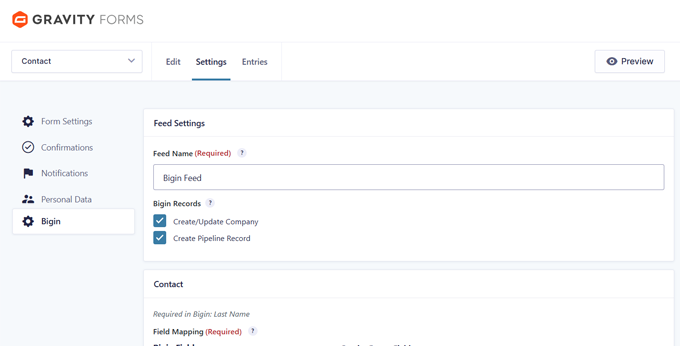
You map your form fields to Bigin fields, set up conditional rules to control which submissions get sent, and the add-on handles the rest. It talks directly to Bigin without needing Zapier or any other middleware.
It suits anyone using Bigin for B2B sales, lead tracking, or application workflows who wants form data to land in the right pipeline stage without manual effort.
Key features
- Create or update Bigin contacts from form submissions, matched by email to avoid duplicates
- Create and update Bigin company records from business information collected in your forms
- Turn submissions into pipeline records and place them in the correct pipeline and stage
- Map form fields to standard and custom Bigin fields, including picklist fields
- Use conditional feeds to control when and how submissions are sent to Bigin
- View sync status inside Gravity Forms entries and resync failed submissions without asking visitors to resubmit
- No Zapier, Zoho Flow, or middleware required — connects directly to Bigin
Good for
Written from NonStop Dev’s own listing. Version and dates come straight from the source and are checked weekly.
Does this work with Zoho CRM as well as Bigin?
No, this add-on is designed specifically for Bigin by Zoho CRM, which is a separate product from Zoho CRM.
Do I need Zapier or another third-party service to connect Gravity Forms to Bigin?
No, the add-on connects directly to Bigin without requiring any middleware.
What happens if a submission fails to sync to Bigin?
The sync status is visible inside the Gravity Forms entry, and you can resync failed entries without asking the visitor to submit the form again.
Can I control which form submissions get sent to Bigin?
Yes, you can use Gravity Forms conditional feed processing to decide when submissions are sent and create different workflows based on form responses.