
Gravity Geolocation
Add geolocation fields, maps, address validation, and distance calculations to Gravity Forms without coding.
What it does
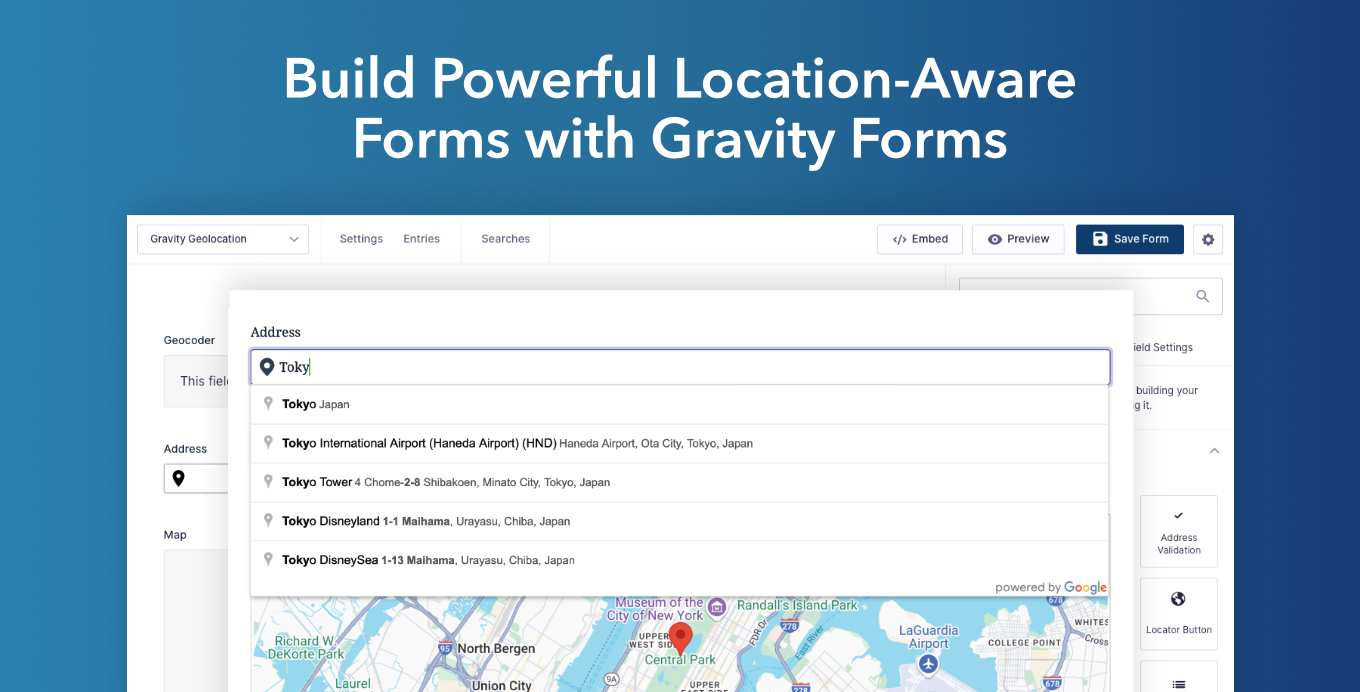
Collecting location data in a form is tricky. Visitors mistype addresses, coordinates are hard to enter, and you end up with messy data you can't use. Gravity Geolocation adds dedicated location fields to Gravity Forms so visitors can search for an address, drop a pin on a map, or use their current location—and every entry stores clean, structured geographic data.
The add-on covers a wide range of location workflows: validating addresses before submission, calculating routes and travel time between two points, finding the nearest store or branch, and letting visitors draw shapes like delivery zones or property boundaries on a map. A Geocoder field keeps address and coordinate fields in sync automatically.
It's built for site owners who need location-aware forms—delivery and pickup services, store finders, property listings, booking forms, and more. No coding is required to set it up, though developers can extend it with hooks and filters. Google Maps powers the mapping features, so a Google Maps API key is required.
Key features
- Address autocomplete, map pin selection, and current-location detection fields
- Address Validation field to confirm standardized addresses before submission
- Directions field with turn-by-turn panel and route display on a connected map
- Distance & Duration field for delivery fees, quotes, and appointment planning
- Nearest Locations tool to show the closest store, branch, or pickup point inside the form
- Drawing tools for points, lines, polygons, circles, and freehand shapes with saved measurements
- Single Entry Map and Mashup Map to display submitted locations on interactive maps
Good for
Written from Eyal Fitoussi’s own listing. Version and dates come straight from the source and are checked weekly.
Do I need to write code to use this add-on?
No. You add and configure its fields in the standard Gravity Forms builder. Developers can use available hooks and filters for more advanced customization.
Which mapping service does it use?
It uses Google Maps. You need a correctly configured Google Maps API key and the relevant Google APIs enabled for the features your form uses.
Can I use the location data in notifications and exports?
Yes. Saved location and travel values are available in entry details, exports, merge tags, notifications, and confirmations.
Does it work with existing Gravity Forms?
Yes. You can add the geolocation fields to an existing form in the standard editor, connect their settings, and save.