
Gravity Search
Turn your existing Gravity Forms entries into searchable front-end directories, portals, and locators without writing code.
What it does
If you collect data with Gravity Forms, Gravity Search lets visitors search and filter those entries on the front end. You don't need to migrate data, create custom post types, or learn a new tool.
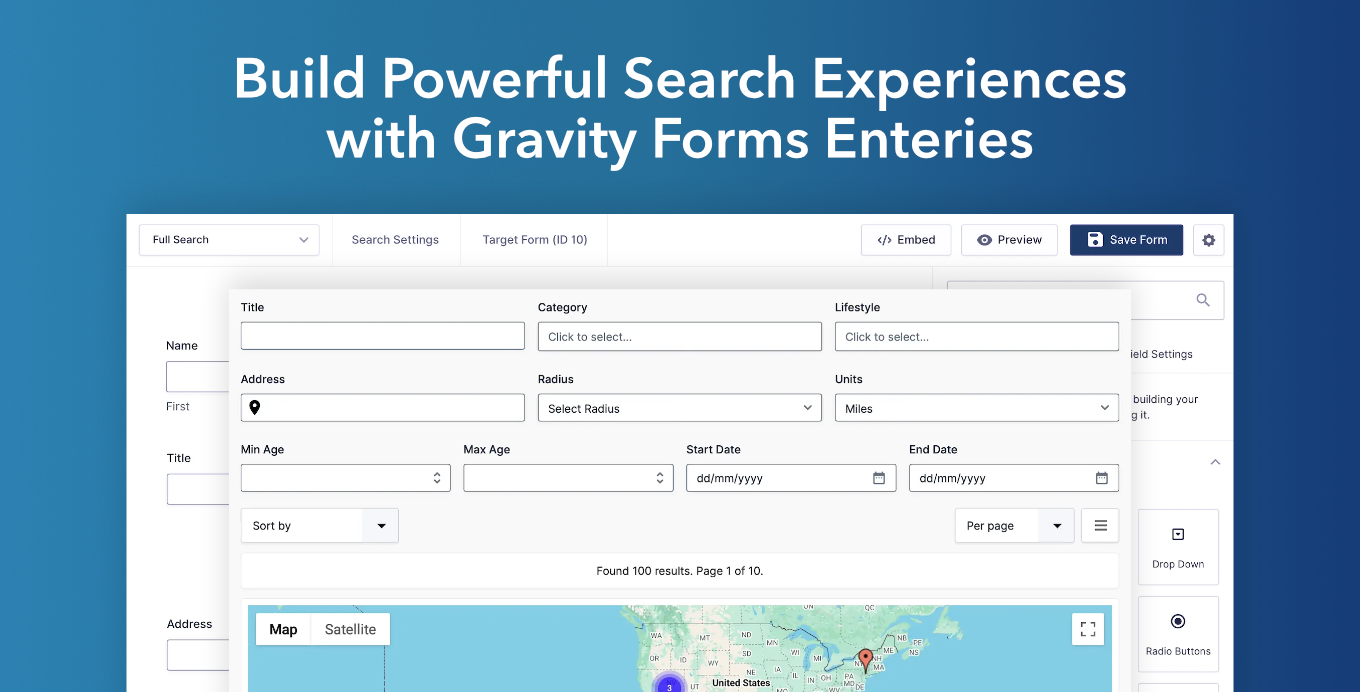
You build a Search Form using the standard Gravity Forms builder, connect it to any existing form, and choose how results appear—grid, list, table, or map. Visitors can then filter by text, dropdowns, dates, location, payment info, and more. Maps update in real time as filters change.
It suits anyone who needs a searchable front-end experience on top of form data: business directories, employee databases, property listings, store locators, customer portals, and resource libraries.
Key features
- Build Search Forms using the native Gravity Forms builder—no new interface to learn
- Filter entries by fields, entry properties, dates, user info, payment data, and location
- Interactive maps with address search, radius search, and marker clustering
- Display results as grids, lists, tables, or custom HTML templates with merge tags
- Dedicated detail pages per entry showing images, maps, and entry data
- Multiple Search Forms can connect to the same form for different search experiences
- Works with Gutenberg, Elementor, Bricks, Divi, Oxygen, and any shortcode-compatible builder
Good for
Written from Gravity Geolocation’s own listing. Version and dates come straight from the source and are checked weekly.
Do I need to move my existing form entries to use this?
No. Gravity Search works directly with your existing Gravity Forms entries—no migration or custom post types needed.
Can I create more than one search experience from the same form?
Yes. You can connect multiple Search Forms to the same target form and configure each one differently.
Does it require coding?
No. Most setups use the Gravity Forms builder interface. Developers can extend it further with hooks, filters, templates, and custom markup.
What map features are included?
It supports Google Maps with interactive markers, marker clustering, address search, current-location search, and radius filtering.