
WPsigner for Gravity Forms
Connect Gravity Forms to WPsigner so form submissions automatically trigger a self-hosted e-signature workflow and generate signed PDFs on your WordPress site.
What it does
Collecting signatures usually means sending files manually or paying for a third-party signing service. WPsigner keeps the entire process on your own WordPress site, so you stay in control of your documents and data.
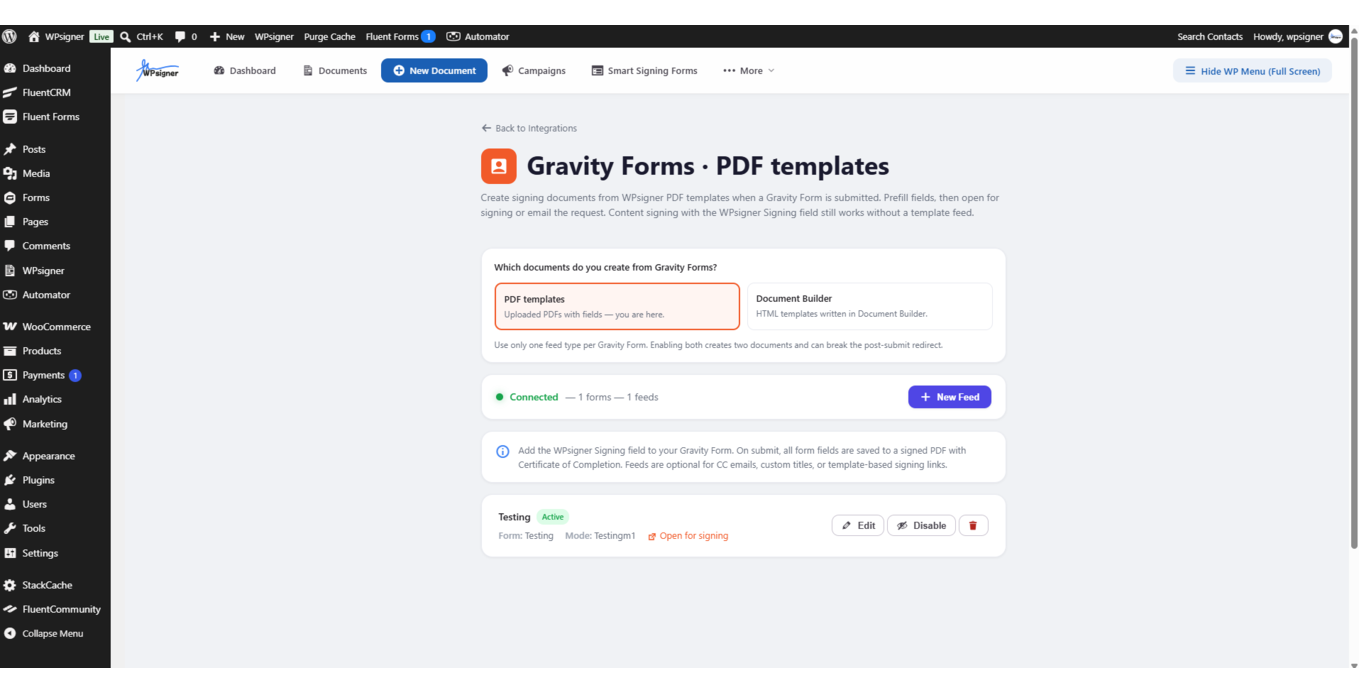
When someone submits a Gravity Forms form, a feed creates a document from a template, maps the submitter's name and email to signer fields, and can send the signing request automatically. Other form fields pass into the document through merge tags. Conditional logic lets you start a document only when a submission meets specific criteria.
Signed PDFs are stored on your WordPress site and linked back to the original Gravity Forms entry. You can share the signing link through Gravity Forms confirmation messages or email notifications. The add-on requires both Gravity Forms and WPsigner Pro.
Key features
- Create a document from a template when a form is submitted
- Map name and email fields to document signers
- Pass form field values into document merge tags
- Optionally send the signing request immediately after submission
- Use conditional logic to trigger documents only for matching submissions
- Store signed PDFs on your WordPress site and link them to the entry
- Share signing links via Gravity Forms confirmations or notifications
Good for
Written from WPsigner’s own listing. Version and dates come straight from the source and are checked weekly.
Does this send documents to an outside service?
No. WPsigner is self-hosted, so documents and signed PDFs stay on your WordPress site.
Can I control which submissions trigger a signing request?
Yes. Conditional logic lets you start a document only when a submission meets the conditions you set.
How do signers receive the document?
You can send the signing request automatically through the feed, or share the signing link using Gravity Forms confirmation messages and email notifications.
What do I need to use this add-on?
You need both Gravity Forms and WPsigner Pro installed on your WordPress site.