
Encryption for Gravity Forms
Encrypt sensitive Gravity Forms submission data so only authorized users can view it in WordPress.
What it does
When someone submits a Gravity Forms form, the data is stored in your WordPress database and can appear in plain text in emails and entry views. If that data includes personal details, account information, or anything confidential, that's a risk.
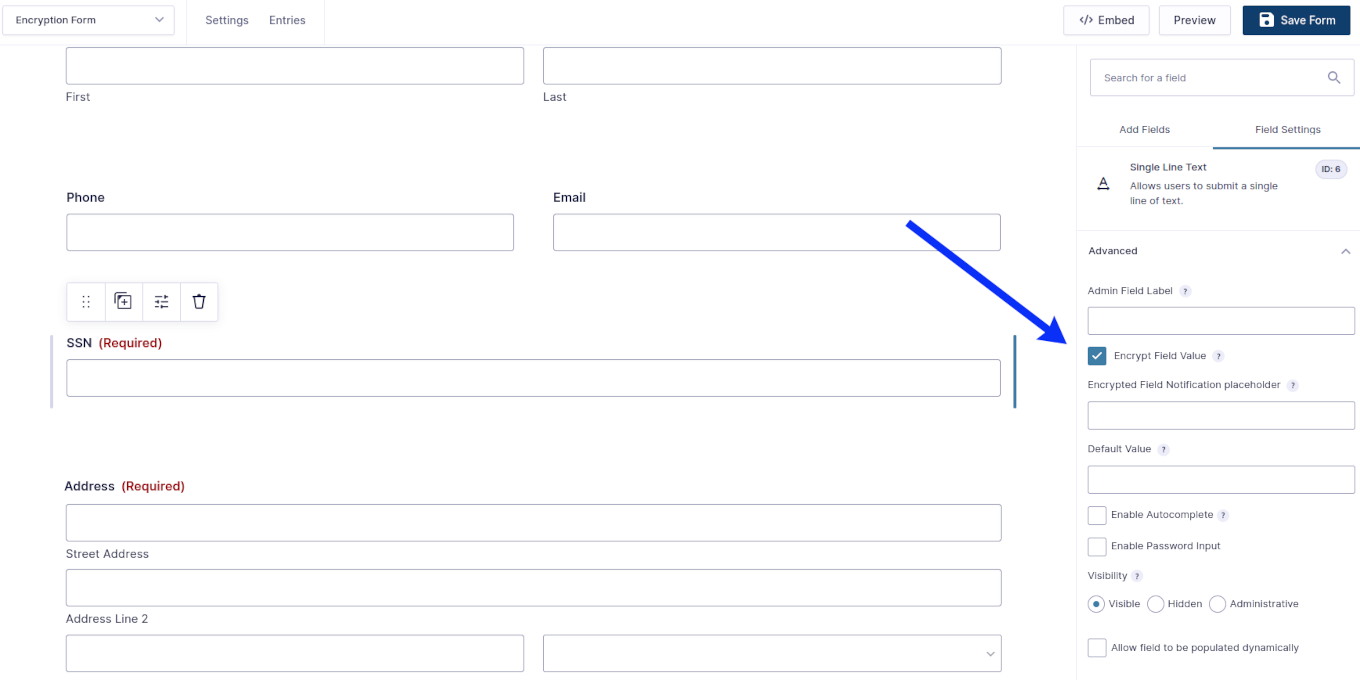
This add-on encrypts your form data before it is stored in the database. You log in to WordPress to view the decrypted content of any submitted entry, so only authorized people can read it. It also removes the worry of confidential information being exposed in notification emails.
It is aimed at site owners who collect sensitive user information and need a straightforward way to keep that data protected at rest.
Key features
- Encrypts form submission data stored in your WordPress database
- Restricts access so only authorized WordPress users can view entry content
- Protects sensitive personal and account details submitted through forms
- Reduces risk of confidential data exposure via email notifications
- Easy to set up without technical configuration
Good for
Written from CrossPeak’s own listing. Version and dates come straight from the source and are checked weekly.
Where is the encrypted data stored?
It is stored in your WordPress database, encrypted so that only authorized users who log in to WordPress can view it.
Can I still view submitted entries in WordPress?
Yes, you log in to WordPress normally and can view the decrypted content of any submitted form entry.
What kinds of data can I protect?
Any data submitted through a Gravity Forms form, including sensitive user information and personal or account details.