
To fill a Gravity Form from ACF fields, put {gr_acf:field_name} tags in the form and use a short snippet that looks up the chosen post and swaps in its ACF values. It fills a Product Drop Down with your ACF posts and their prices, preselects one from a link like ?package=landing-page, and fills other fields from the same post. Prices and hidden fields are set again from ACF when the form is submitted, so nobody can change them in the browser.
This is lesson 2 of the ACF and Gravity Forms series. Lesson 1 sent a contact form to the email on a team member’s ACF profile. This one goes further: the form takes its choices, prices and details from ACF, so editing a post updates the form too.
What We’re Building
An agency sells four website packages, each a Services post in ACF with a price, a turnaround time and a summary. Every service page has a Start this project button:

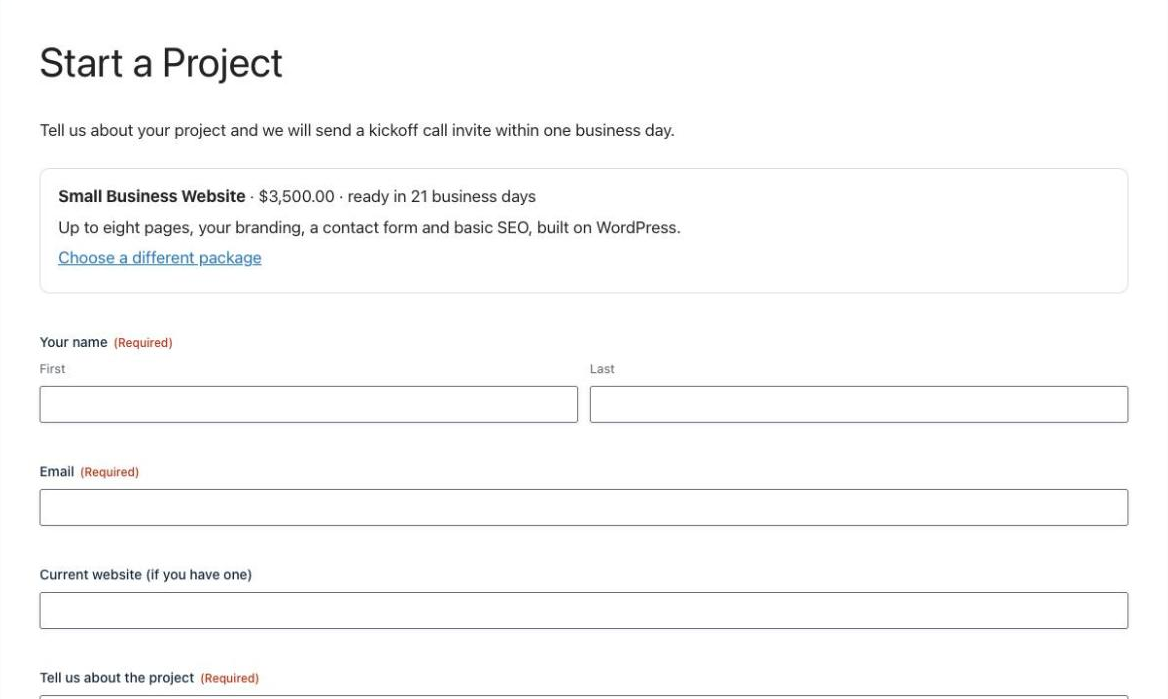
The button opens one shared Start a Project form with that package already chosen, its details shown, and the total set from its ACF price:
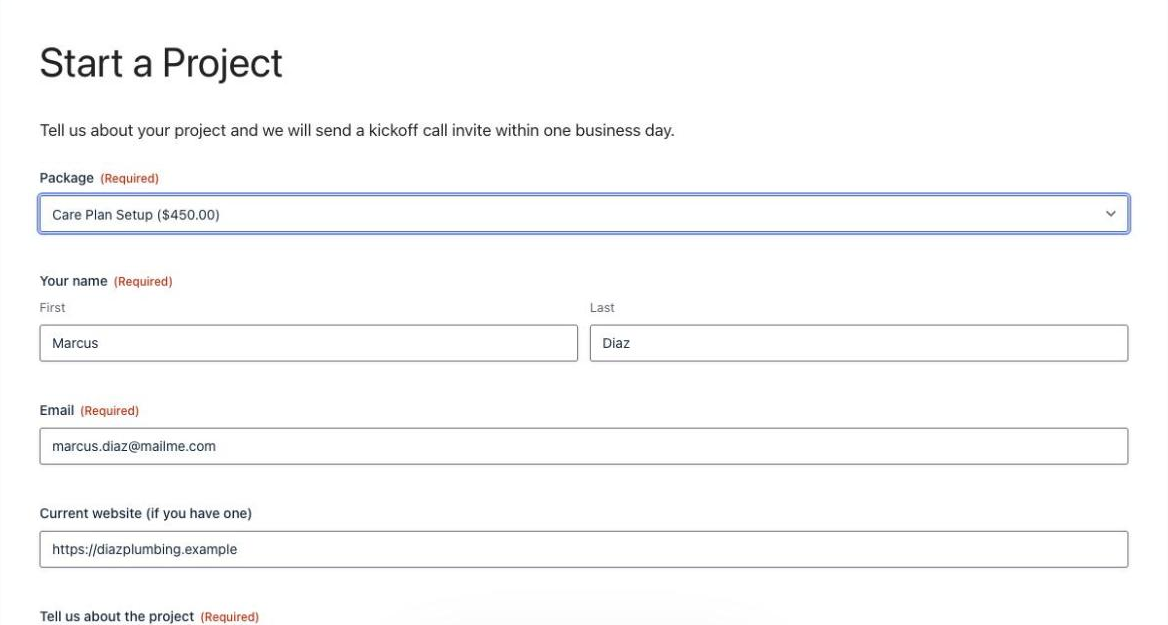
Opened on its own, the form lists every package with its price, straight from ACF:
Change a price or a turnaround in ACF and the service page, the list, the total and the notification all update. There’s nothing to change in the form.
This part is for Free account members.
Things to Know
- The summary is set when the page loads. Visitors who arrive from a service page see that package; “Choose a different package” brings back the list.
- Old entries keep their price. Changing a price in ACF affects new orders only.
- Entries store the slug with the price (
landing-page|$1,200.00). The order and payment add-ons get the title through the snippet; exports get the stored value. - No Populate Anything needed. If you already use it, it can fill choices too, but it doesn’t lock prices on its own. The events class shows that case.
Frequently Asked Questions
Can Gravity Forms pull data from ACF fields?
Not on its own for another post. A short snippet can look up the post a visitor chose and replace {gr_acf:field_name} tags in default values, HTML fields, labels, confirmations and notifications with that post's ACF values. Populate Anything can also fill choices from ACF.
How do I set a Gravity Forms product price from ACF?
Fill a Product field's choices from your ACF posts with the ACF price as each choice's price, and set the price again from ACF before Gravity Forms validates the form. Then the total is always checked against the ACF price, even if someone edits the page.
Can visitors change a value filled from ACF?
They can change what is in the browser, so anything that matters must be set again on the server. In this snippet, Hidden fields filled from ACF and any field with the CSS class gr-acf-locked are refilled from ACF on submit, and the product price always comes from ACF.
Do I need Populate Anything?
No. This works with Gravity Forms and the free version of ACF plus a snippet. Populate Anything is a good option for filling choices without code, but on its own it does not stop a visitor from changing a posted price.
Does changing a price in ACF change old entries?
No. Each entry keeps the price it was submitted with. A new price applies to new submissions only.
Need More Help?
If you still need help, use the chat or leave a comment below and we’ll get back to you.
Comments