
monday.com Connector for Gravity Forms
Send Gravity Forms entries to monday.com as new or updated items, with full column mapping and conditional logic.
What it does
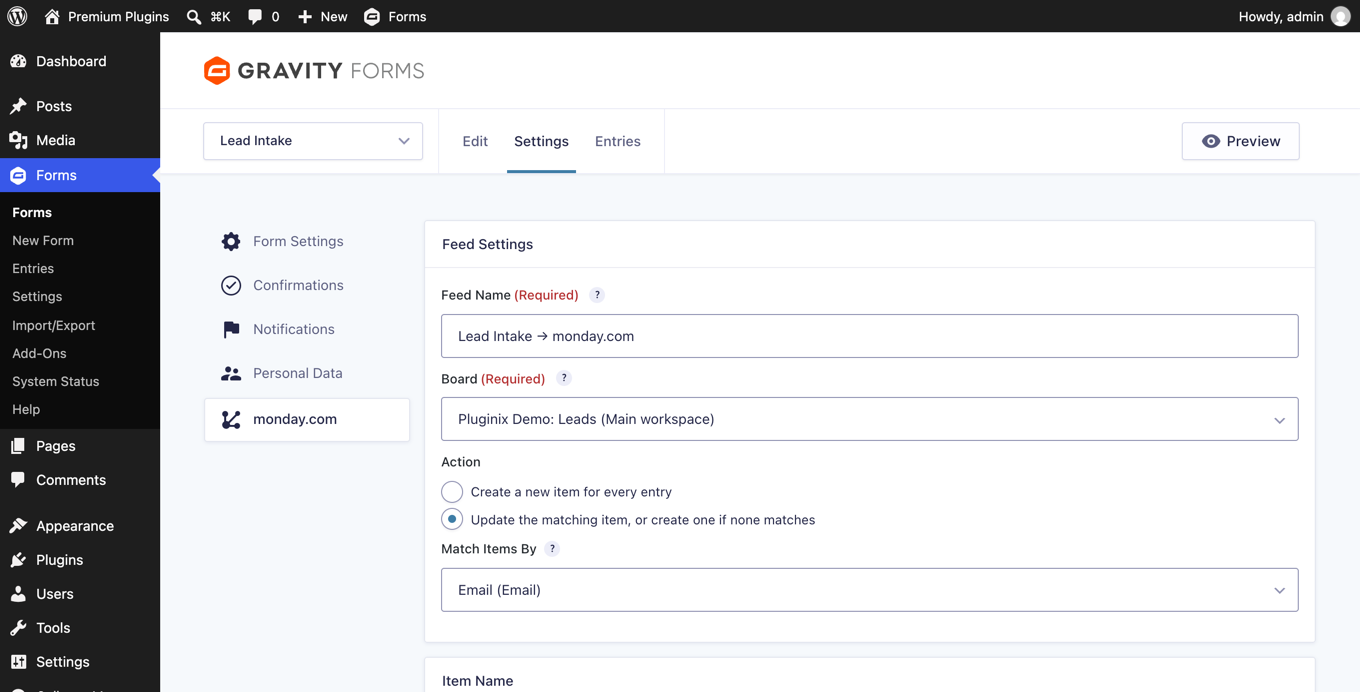
When someone submits your form, you want that data to land in monday.com without any manual copying. This add-on creates or updates a monday.com item automatically on each submission, mapping your form fields to the right board columns.
It runs on the Gravity Forms Feed Add-On framework, so you set it up the same way as official add-ons. Each form can have multiple feeds, each targeting a different board. Conditional logic lets you control exactly which submissions trigger which feed.
It handles a wide range of column types—phone, email, date, status, dropdown, file uploads, and more—and even supports subitems. Sends happen in the background so your form stays fast, and failed sends are retried automatically.
Key features
- Create or update monday.com items on form submission
- Map form fields to board columns, with column type shown during setup
- Support for file uploads, People columns, subitems, and many column types
- Conditional logic controls when each feed runs
- Sends happen in the background with automatic retries on errors
- monday.com item ID saved to the entry; one-click resend without duplicates
- Optional email alert when an entry fails to send
Good for
Written from Pluginix’s own listing. Version and dates come straight from the source and are checked weekly.
Can one form send to more than one monday.com board?
Yes, you can add multiple feeds to a single form, each pointing to its own board.
What happens if the send fails?
The add-on retries automatically for network and rate-limit errors. You can also optionally receive an email alert and resend manually from the entry screen.
Can it update an existing item instead of always creating a new one?
Yes, you can configure a feed to update a matching item by email address or another column value.
Which monday.com column types are supported?
Phone, email, link, date, hour, week, timeline, numbers, rating, checkbox, status, dropdown, People, and Files columns are all supported.