
Gravity Forms Color Picker
Add color swatch pickers to radio, checkbox, and single-line text fields in your Gravity Forms.
What it does
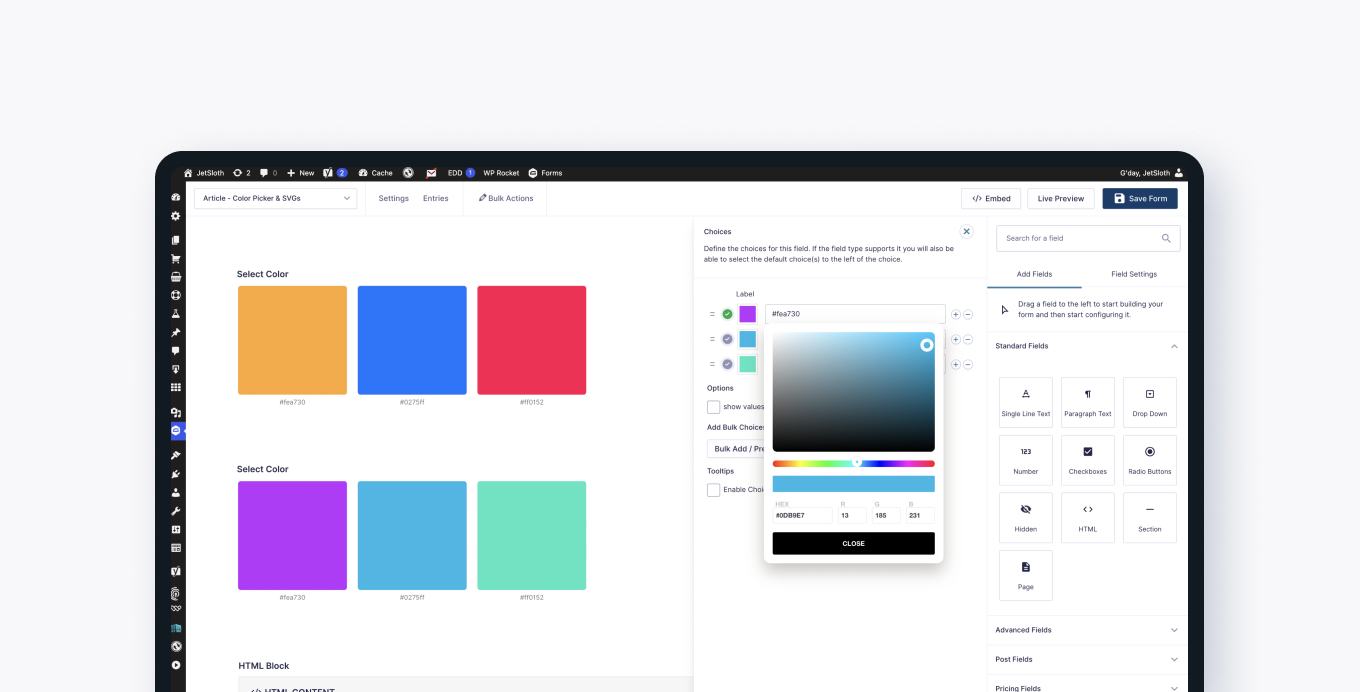
When you sell products or creative work, asking customers to type a color name or pick from a plain dropdown isn't great. This add-on replaces those fields with visual color swatches so users can click the color they want.
You enable it field by field by ticking a 'use colors' option. You define the swatches you want to offer, and optionally allow users to enter any custom hex value using a full color picker. It works with radio fields, checkbox fields, and single-line text fields.
When you review submissions, you can choose to see the selected colors displayed as swatches right inside the Gravity Forms entries screen and email notifications, instead of plain text values.
Key features
- Add color swatches to radio, checkbox, and single-line text fields
- Let users pick from a predefined set of color swatches
- Allow users to enter a custom hex color value via a color picker
- Enable or disable the color picker per field
- Show selected colors as swatches in the admin entries screen
- Show color swatches in email notifications
Good for
Written from JetSloth’s own listing. Version and dates come straight from the source and are checked weekly.
Which field types does this add-on support?
It works with radio fields, checkbox fields, and single-line text fields.
Can users pick a color that isn't in my predefined swatches?
Yes. If you enable the 'other' option on a radio or checkbox field, a full color picker appears so users can choose any color they want.
How do color selections appear in form entries?
You can choose per field whether entries show as plain text values or as color swatches inside the Gravity Forms admin entries screen and email notifications.