
Fetcher
Fetcher adds quick-access links, nested folders, and a keyboard-triggered search bar to help you manage Gravity Forms faster.
What it does
If you run a site with many Gravity Forms, finding and editing the right form can take more clicks than it should. Fetcher adds tools directly to your WordPress workflow so you spend less time hunting for forms.
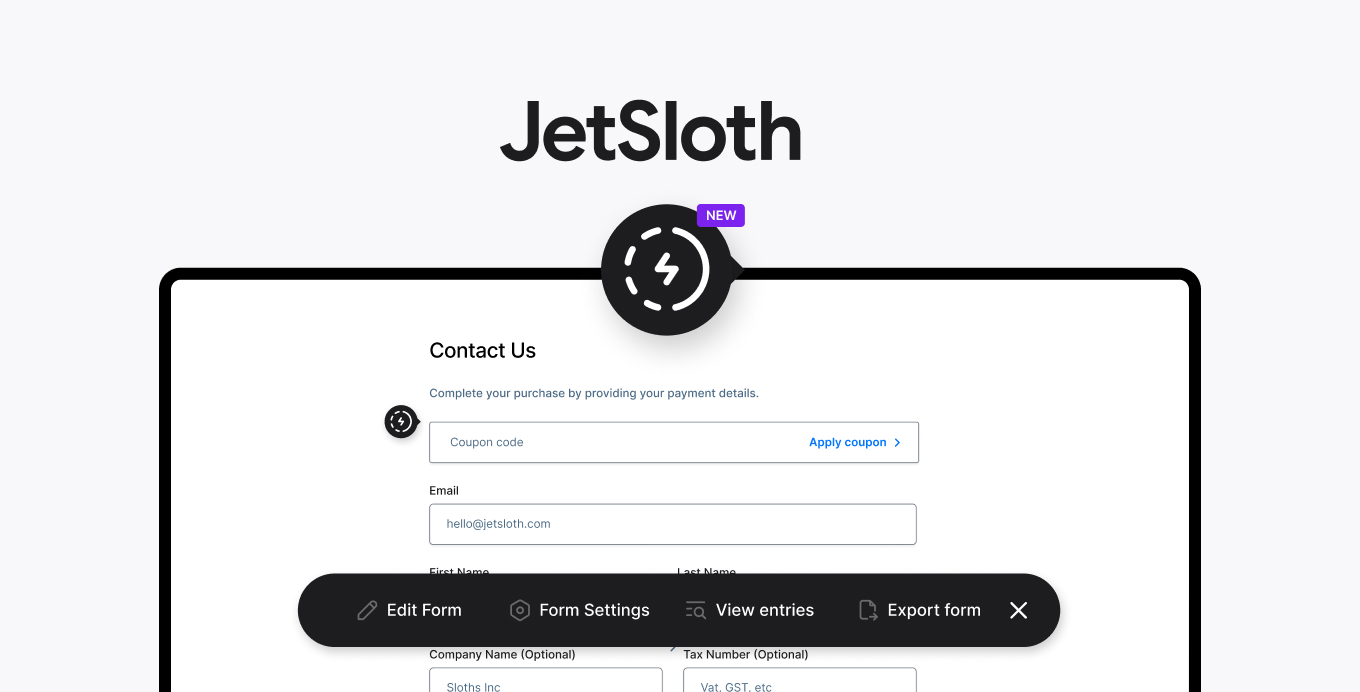
When you are logged in and browsing your site, Fetcher shows an inline icon next to each form. Clicking it gives you quick links to admin actions like editing and exporting without leaving the page. You can also press Ctrl (Cmd) + Shift + F anywhere on the front end or in the admin to open the Fetcher Bar and jump to any form instantly.
Fetcher also lets you organize forms into nested folders using drag and drop. This is useful when you manage dozens or hundreds of forms and need a clear structure to keep things tidy.
Key features
- Inline quick-access icon appears next to forms while you browse your site
- Links to common admin actions like editing and exporting directly from the front end
- Keyboard shortcut (Ctrl/Cmd + Shift + F) opens the Fetcher Bar from anywhere
- Fetcher Bar works in both the WordPress admin and the front end
- Organize forms into nested folders with drag and drop
- No limit on folder depth — folders can be nested inside each other
Good for
Written from JetSloth’s own listing. Version and dates come straight from the source and are checked weekly.
Does Fetcher work on the front end of my site?
Yes. The inline icon appears next to forms while you browse the front end, and the Fetcher Bar keyboard shortcut works there too.
Who can see the Fetcher icon and bar?
Only logged-in admin users see the Fetcher icon and have access to the Fetcher Bar.
Can I nest folders inside other folders?
Yes. Fetcher supports nested folders so you can create as many levels of organization as you need.
What admin actions can I reach from the inline icon?
The listing mentions editing and exporting as examples of the quick-access admin actions available.