
Gravity Forms Widget for Elementor
Embed and style Gravity Forms directly inside Elementor's visual builder without using shortcodes.
What it does
If you build pages with Elementor, adding a Gravity Form normally means copying a shortcode and pasting it into a widget. This add-on removes that step entirely.
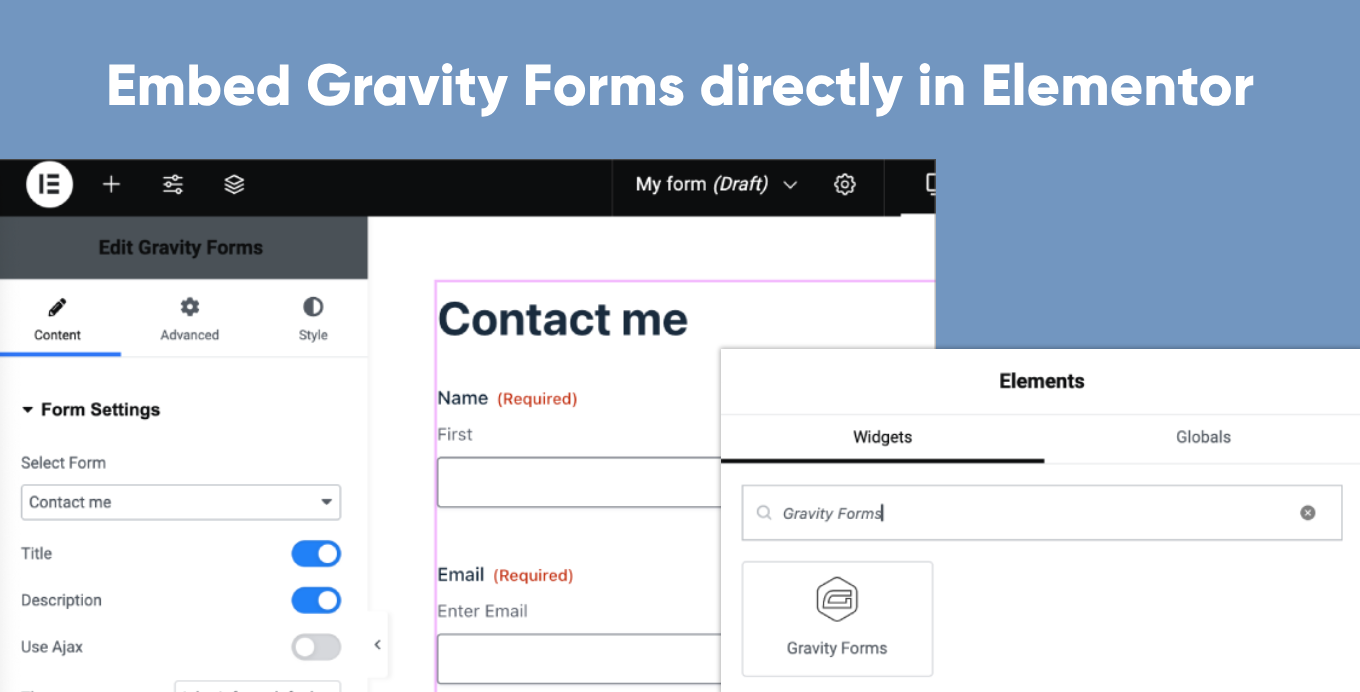
You get a dedicated Gravity Forms widget in Elementor. Drag it onto your page, pick the form you want, and apply basic style changes — all without leaving the Elementor editor. The form renders visually inside the editor so you see exactly how it will look.
It suits anyone who manages their WordPress site in Elementor and wants their forms to fit naturally into that workflow.
Key features
- Drag-and-drop widget places any Gravity Form on an Elementor page
- WYSIWYG preview — form styles load inside the Elementor editor
- Basic styling controls available directly in Elementor
- No shortcodes needed
- Supports all standard Gravity Forms functionality
Good for
Written from GravityKit’s own listing. Version and dates come straight from the source and are checked weekly.
Does this add-on cost anything?
No, it is free.
Do I still need to use shortcodes to embed forms?
No, the widget handles embedding so shortcodes are not required.
Can I see how the form looks while editing in Elementor?
Yes, the form styles load inside the Elementor editor so you get a live preview as you design.
Does it support all Gravity Forms features?
Yes, the listing states it supports all Gravity Forms functionality.