
Gravity Forms Event Field
Add a single Event field to your Gravity Forms to collect start date, end date, times, timezone, status, and recurrence.
What it does
Collecting event details through a form usually means adding several separate fields for dates, times, and other information. This free add-on solves that by giving you one dedicated Event field type that bundles all of those inputs together.
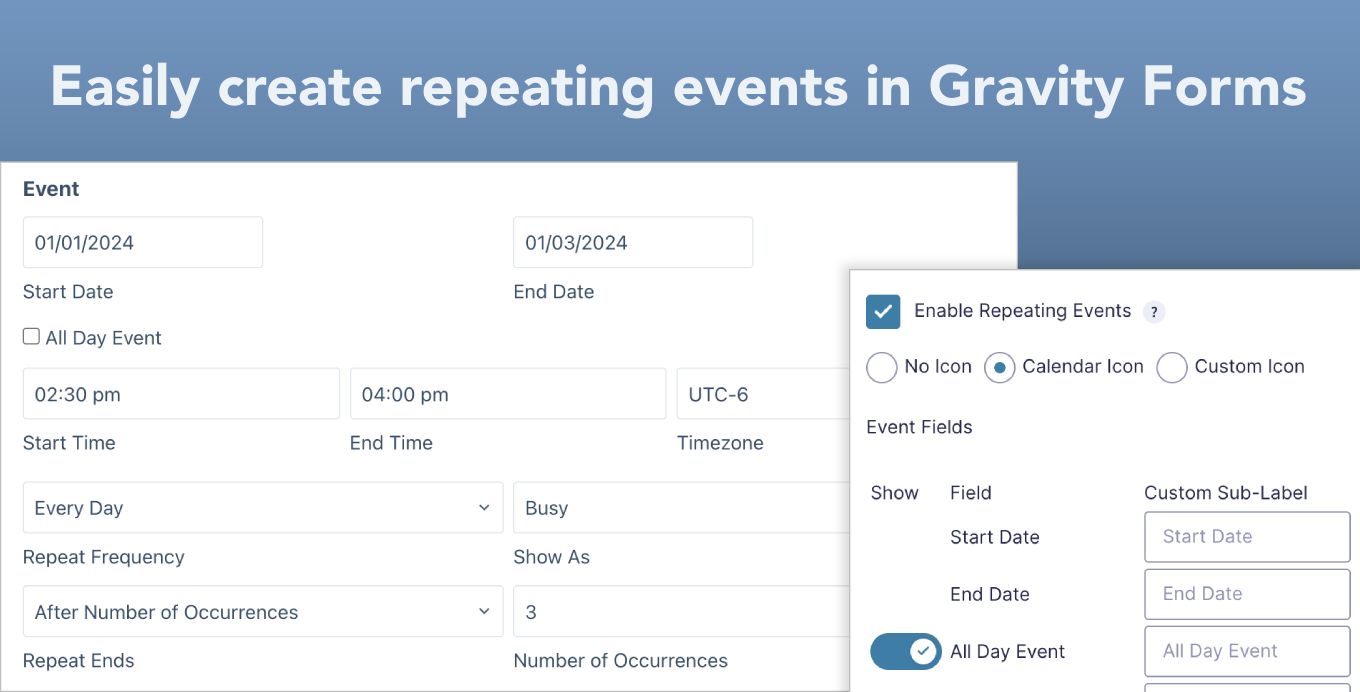
When you add the Event field to a form, it includes inputs for Start Date, End Date, Start Time, End Time, Timezone, and Status. You can also let users set a repeat frequency so recurring events are handled in a single step.
The field works with GravityKit's GravityCalendar add-on, so events submitted through your form can be displayed on a calendar. It's a good fit for anyone who needs to collect event submissions from site visitors.
Key features
- Single field collects Start Date, End Date, Start Time, End Time, Timezone, and Status
- Supports recurring events with user-defined repeat frequency
- Integrates with GravityCalendar for displaying submitted events on a calendar
- Fully customizable field
- Free to use
Good for
Written from GravityKit’s own listing. Version and dates come straight from the source and are checked weekly.
What information does the Event field collect?
It includes inputs for Start Date, End Date, Start Time, End Time, Timezone, and Status.
Can users submit recurring events?
Yes, the field supports repeating events with a user-defined repeat frequency.
Does this work with GravityCalendar?
Yes, it integrates with GravityKit's GravityCalendar add-on so submitted events can be displayed on a calendar.
How much does it cost?
It is completely free.