
SmartRoute
Route Gravity Forms notifications to different email addresses based on form answers, using a simple CSV contact list.
What it does
When you run a business with multiple departments, locations, or team members, sending every form submission to one inbox creates extra work. Someone has to read each entry and forward it to the right person manually.
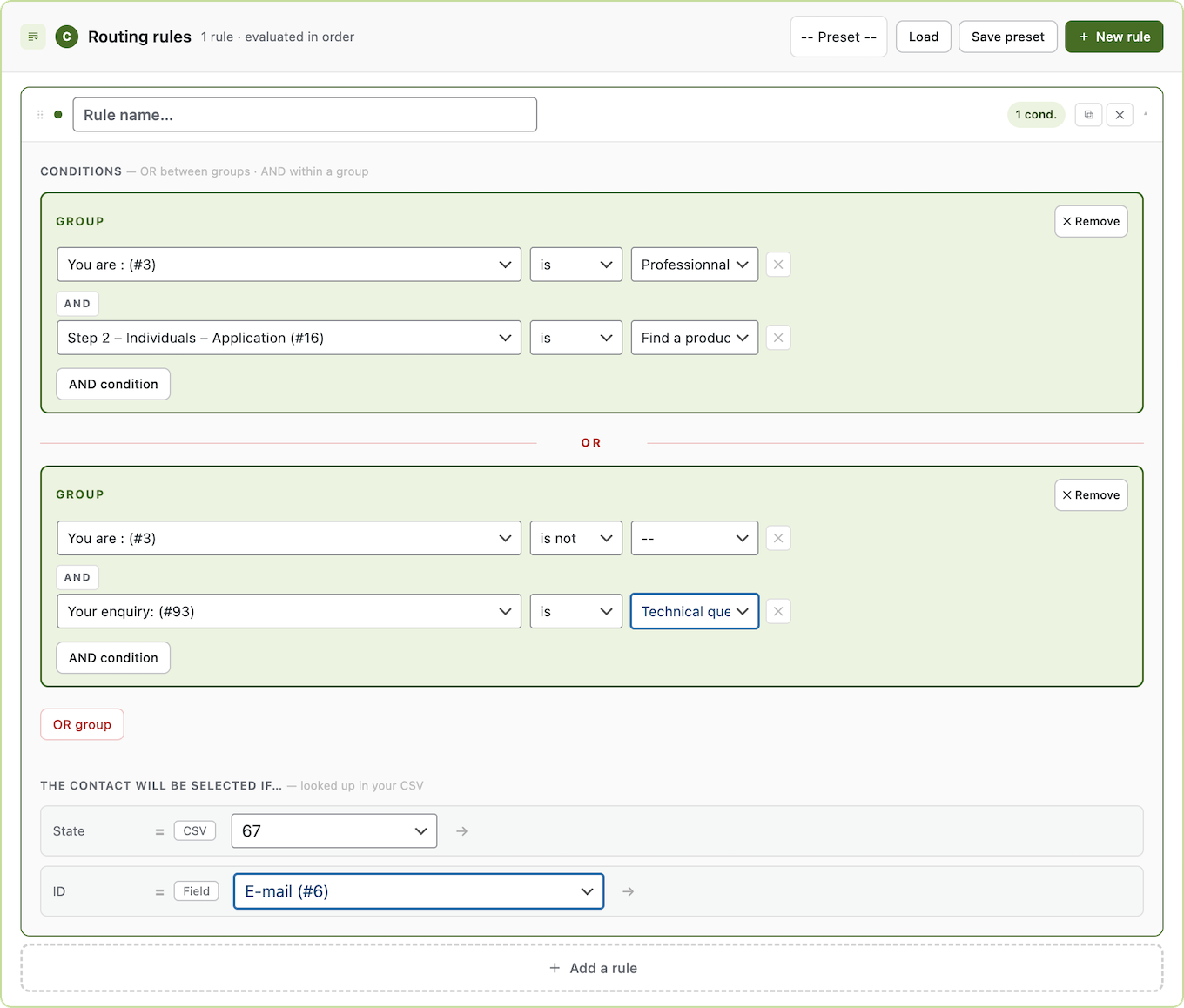
SmartRoute connects to your Gravity Forms notifications and redirects them based on what a user selects in your form. You upload a CSV file with your contacts and routing criteria, map the columns, set your conditions, and SmartRoute handles the rest automatically.
It works for any field type — dropdowns, radio buttons, checkboxes, and more. No code is needed at any step.
Key features
- Route notifications to different email addresses based on form field answers
- Import contacts and routing criteria from a CSV file
- Map any CSV column as a routing criterion (department, region, language, product, etc.)
- Build conditional rules using AND logic across multiple form fields
- Works with dropdowns, radio buttons, checkboxes, and other field types
- No coding required to set up routing rules
Good for
Written from SmartRoute’s own listing. Version and dates come straight from the source and are checked weekly.
What file format do I need for my contact list?
You upload a CSV file with columns for email addresses and any routing criteria you want to use.
Which form field types can trigger routing?
You can use dropdown, radio button, checkbox, or any other field type to define your routing rules.
Do I need to write any code?
No, the entire setup — importing, mapping, and rule building — requires no code.
Can I combine multiple conditions in one rule?
Yes, you can build rules using AND conditions across multiple form fields.