
Bulk Actions for Gravity Forms
Select, edit, duplicate, delete, and reorder multiple Gravity Forms fields at once with one-click bulk actions.
What it does
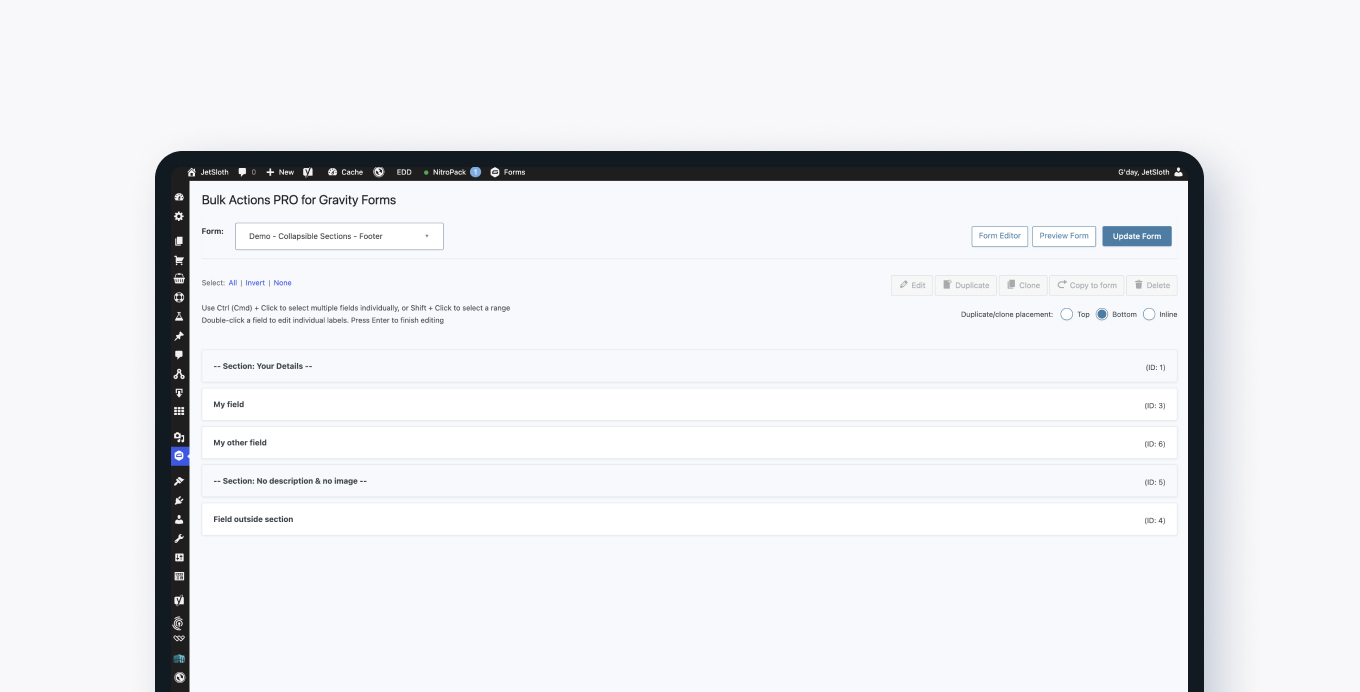
Managing large Gravity Forms can be slow when you have to click each field one at a time. This add-on lets you select any number of fields at once and act on all of them together.
Once you've selected your fields, you can edit labels, add CSS class names, set required status, duplicate fields inline, delete them, or drag them into a new order — all without touching each field individually.
It's useful for anyone building complex forms who wants to spend less time on repetitive field management tasks.
Key features
- One-click select all, none, or inverted field selection
- Bulk edit field labels, CSS class names, and required status
- Duplicate multiple fields inline at once
- Delete multiple fields in one action
- Drag and drop to reorder one or many fields at the same time
Good for
Written from JetSloth’s own listing. Version and dates come straight from the source and are checked weekly.
What bulk edits can I make to selected fields?
You can edit field labels, add CSS class names, and set the required status across all selected fields at once.
Can I reorder multiple fields at the same time?
Yes, you can select one or more fields and drag them to a new position together.
Does it let me duplicate fields in bulk?
Yes, you can multi-select fields and duplicate them inline in one action.