
Workflow Step Runner for Gravity Flow
Run selected Gravity Forms entries through a Gravity Flow step in bulk, then restore or reroute them as needed.
What it does
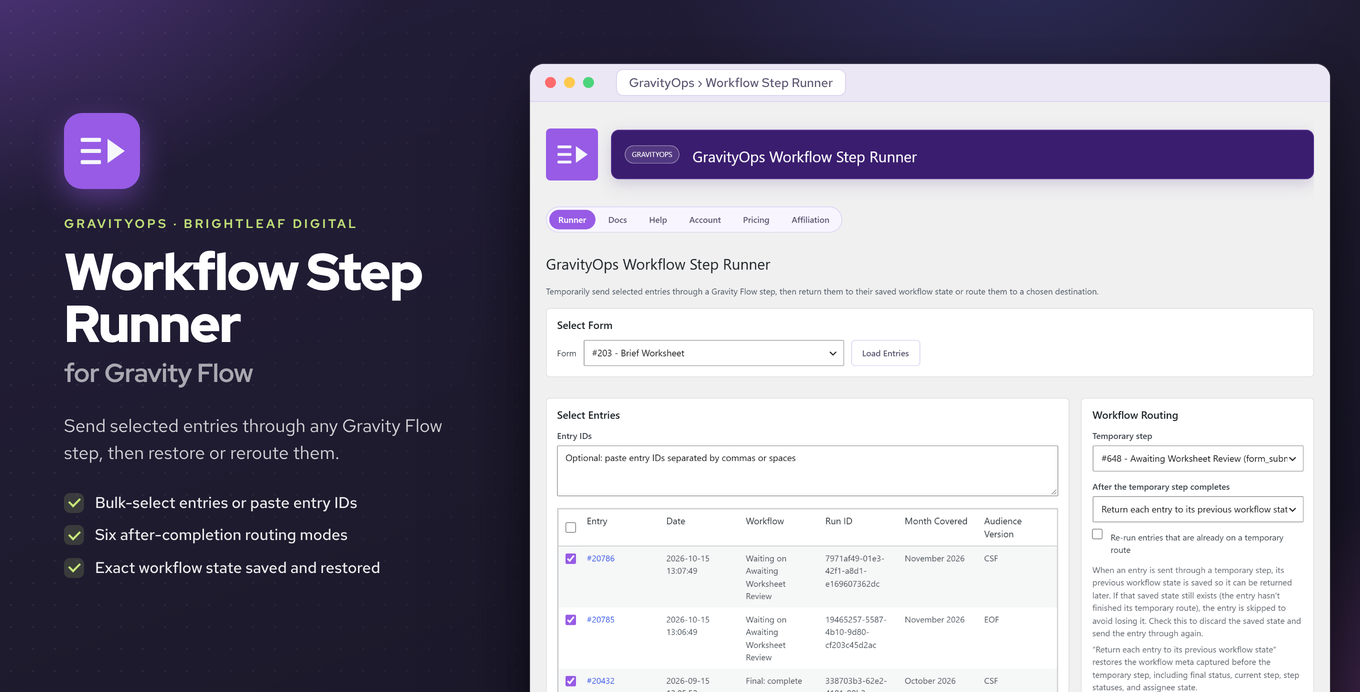
Managing Gravity Flow workflows entry by entry is slow when you need to push many entries through the same step at once. This add-on lets you select a batch of entries and send them all through a chosen Gravity Flow step in a single action.
Before dispatch it records each entry's current workflow state — the active step, per-step statuses, assignees, and final status. After the step runs, you can restore entries to that saved state, send them to a different step, let them follow default routing, or finalize them as complete, rejected, or cancelled.
You can run it from a central dashboard or from a tab inside each form's settings. Entries are picked from a table with preview columns, or you can paste in entry IDs directly.
Key features
- Bulk-send selected entries through any Gravity Flow step in one action
- Captures full workflow state before dispatch so you can restore it afterward
- Post-step options: restore, reroute, default routing, or finalize (complete, rejected, cancelled)
- Central dashboard plus a per-form settings tab for running dispatches
- Pick entries from a preview table or paste entry IDs manually
- Suppresses spurious workflow-complete notifications during bulk processing
- Writes a timeline note for every dispatch, restore, and finalization
Good for
Written from Brightleaf Digital’s own listing. Version and dates come straight from the source and are checked weekly.
Does it work without Gravity Flow?
No — it is built specifically to run entries through Gravity Flow steps, so Gravity Flow must be installed.
Will my team get flooded with notifications when I run a bulk dispatch?
No — the add-on suppresses spurious workflow-complete notifications during bulk processing.
Is there a record of what was done to each entry?
Yes — a timeline note is written for every dispatch, restore, and finalization.
How do I choose which entries to process?
You can select entries from a table with preview columns or paste entry IDs directly.