
Deposits for Gravity Forms
Collect deposits via Stripe on your Gravity Forms and automatically chase the remaining balance for you.
What it does
Collecting a deposit is easy — getting the rest of the money is the frustrating part. Deposits for Gravity Forms handles the follow-up so you don't have to send awkward reminder emails yourself.
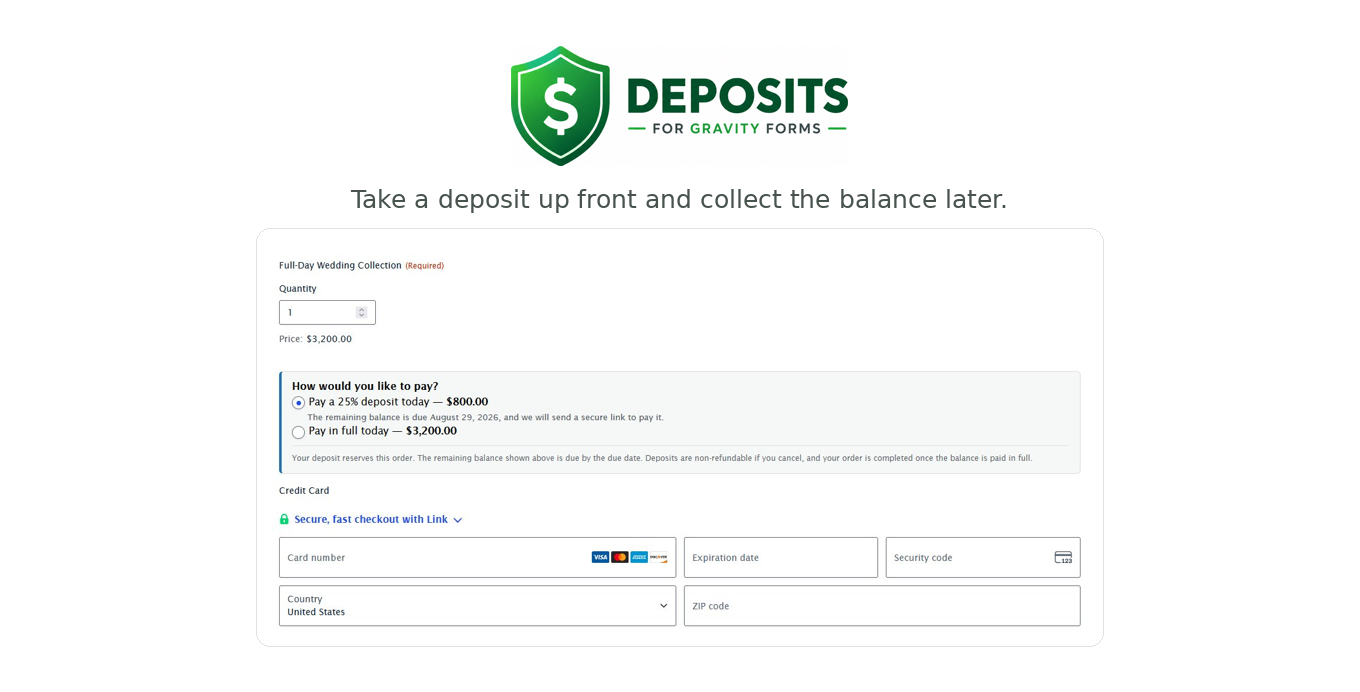
You set a deposit as a percentage, a flat amount, or a few tiers the customer chooses from. Stripe charges only the deposit at checkout, and the full order total is saved with the entry. When the balance is due, the customer gets a secure payment link — no login, no re-filling the form. Reminder emails go out automatically as the due date approaches.
A single dashboard shows every open balance. From there you can copy a payment link, send a reminder, or mark something paid. The plugin works on top of your existing Stripe feed and form entries, so your current setup stays the same.
Key features
- Set deposits as a percentage, flat amount, or customer-selectable tiers
- Option for customers to pay in full at checkout
- Stripe charges deposit only; full price saved with the entry
- Secure balance-payment link sent to customers — no login needed
- Automatic reminder emails as the due date approaches
- Central dashboard to manage all open balances
- Editable emails and deposit terms shown at checkout and in confirmation
Good for
Written from Dmitry Alexander’s own listing. Version and dates come straight from the source and are checked weekly.
Which payment gateway does this work with?
It works with Gravity Forms forms that use the Stripe add-on. No other gateways are mentioned.
Do customers need to log in to pay their balance?
No. They receive a secure link and can pay without logging in or filling out the form again.
Can customers choose to pay in full instead of a deposit?
Yes. You can offer deposit tiers and still allow customers to pay the full amount at checkout.
How do I keep track of unpaid balances?
A dashboard shows all open balances where you can copy payment links, send reminders, or mark entries as paid.