
Gravity Forms Tooltips
Add styled tooltips to any Gravity Forms field label with control over color, size, and position.
What it does
When a form has complex fields, users often need extra guidance without cluttering the layout. Tooltips let you attach small hints to field labels so visitors can get more context on demand.
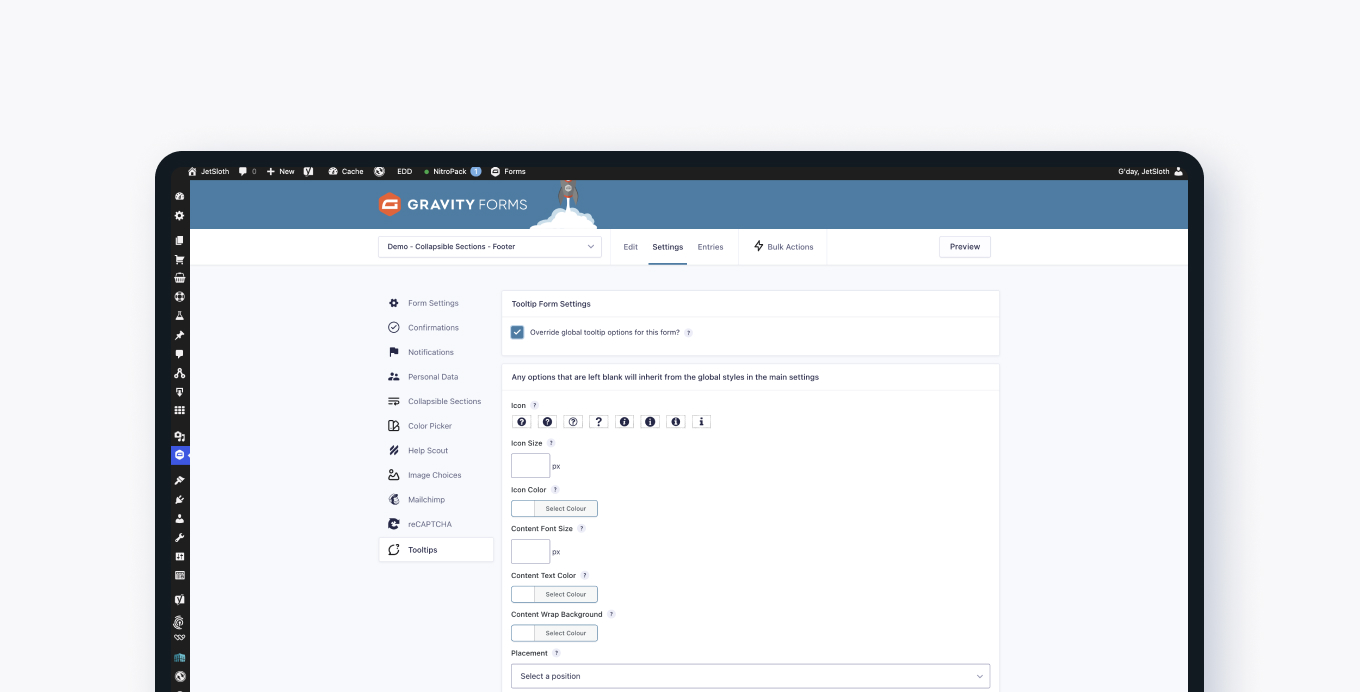
This add-on gives each field in your Gravity Form its own tooltip. You set the content per field, then control the look globally or override styles on a form-by-form basis. Options include icon style, font size, font color, and position.
It works with all core Gravity Forms field types and also with other JetSloth add-ons like Image Choices, Collapsible Sections, and Color Picker.
Key features
- Add a tooltip to any Gravity Forms field label
- Works with all core Gravity Forms field types
- Global style settings apply across all forms
- Per-form style overrides for fine-grained control
- Customize icon, font size, font color, and tooltip position
- Compatible with JetSloth's Image Choices, Collapsible Sections, and Color Picker add-ons
- Add custom CSS for further styling
Good for
Written from JetSloth’s own listing. Version and dates come straight from the source and are checked weekly.
Does it work with all Gravity Forms field types?
Yes, tooltips work with all core Gravity Forms field types.
Can I style tooltips differently on each form?
Yes, you can set global styles that apply to all forms and then override those styles on a per-form basis.
Does it work with other JetSloth add-ons?
Yes, it is compatible with JetSloth's Collapsible Sections, Image Choices, and Color Picker add-ons.
Can I add my own CSS to the tooltips?
Yes, you can add custom CSS through your theme or website settings for further customization.