
Gravity Forms Entry Tags
Add a tag field to your forms so you can label, group, and filter entries by custom tags.
What it does
Keeping track of form entries gets harder as submissions pile up. Entry Tags gives you a way to label entries with custom tags, similar to how WordPress post tags work for posts.
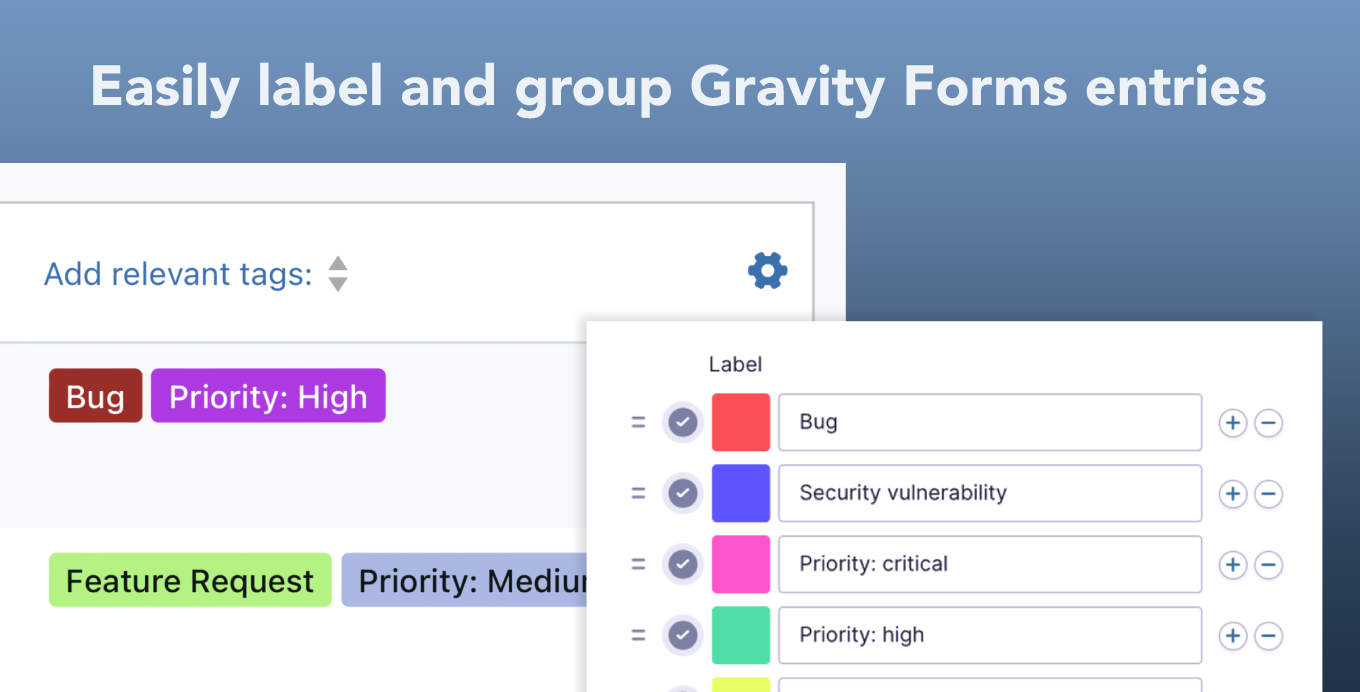
You add an Entry Tags field to any form in the Gravity Forms builder. Users can apply tags when they submit the form, and you can also add tags from the back end. Tags show up on the Entries screen, where you can click any tag to filter the list instantly.
It works well for anyone who wants lightweight CRM-style organization inside Gravity Forms without a separate plugin.
Key features
- New Entry Tags field type in the Gravity Forms builder
- Users can add new tags directly from the front end
- Click a tag on the Entries screen to filter submissions instantly
- Customize tag colors inside the form editor
- Integrates with GravityView
- Free to use
Good for
Written from GravityKit’s own listing. Version and dates come straight from the source and are checked weekly.
Does this cost anything?
No, the add-on is completely free.
Can visitors add their own tags when filling out a form?
Yes, users can add new tags directly from the front end when submitting a form.
Can I change how tags look?
Yes, you can customize tag colors from inside the Gravity Forms form editor.
Does it work with GravityView?
Yes, the add-on integrates with GravityView.