
Microsoft Excel Cloud Addon for Gravity Forms
Automatically send Gravity Forms submissions to Microsoft Excel Online spreadsheets stored in OneDrive or SharePoint.
What it does
If your team works in Microsoft 365, copying form submissions into Excel by hand wastes time and invites errors. This add-on connects Gravity Forms directly to Microsoft Excel Online so every new submission creates a row in your chosen spreadsheet automatically.
You authenticate with Microsoft Graph API, pick an existing workbook and worksheet, then map your form fields to Excel columns. From that point on, new entries go straight to the cloud with no manual steps and no third-party automation tools required.
It suits teams that track leads, registrations, or inquiries in Excel and want that data available in real time without leaving their WordPress workflow.
Key features
- Send form entries directly to Excel Online in OneDrive or SharePoint
- Map Gravity Forms fields to specific worksheet columns
- Support multiple feeds per form with conditional logic
- Automatic row creation for each new submission
- Background processing for reliable delivery
- Detailed logging to help you troubleshoot issues
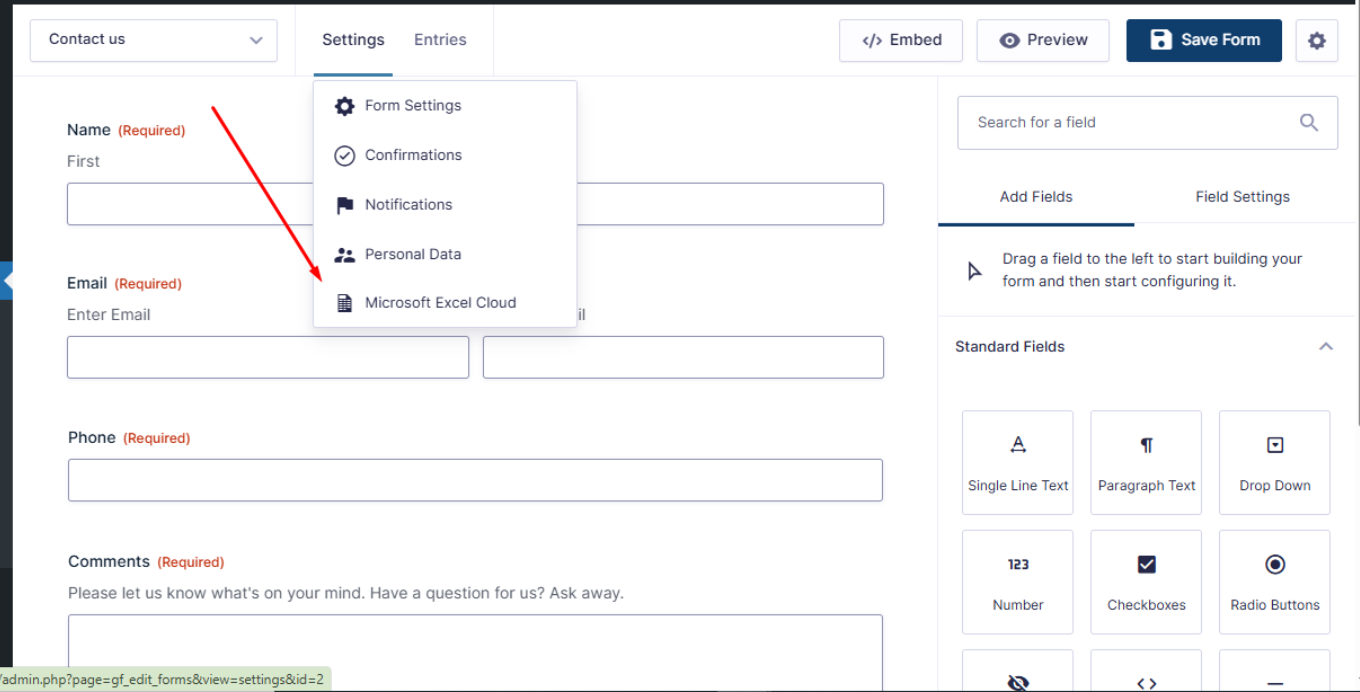
- Works inside the native Gravity Forms interface
Good for
Written from WP Prism’s own listing. Version and dates come straight from the source and are checked weekly.
Do I need a third-party automation tool like Zapier to make this work?
No. The add-on connects directly to Microsoft Excel Online using the Microsoft Graph API, so no external automation service is required.
Where are the spreadsheets stored?
Your spreadsheets can be hosted in OneDrive or SharePoint, both part of Microsoft 365.
Can I use conditional logic to control when entries are sent?
Yes. The add-on supports conditional logic, so you can choose which submissions trigger a feed.
Can one form send data to more than one spreadsheet?
Yes. Multiple feeds per form are supported, so you can route submissions to different workbooks or worksheets as needed.