
AI Feed for Gravity Forms
Add AI text and image generation to your forms, triggered on submission or live as users type.
What it does
Getting AI-generated content into a form response usually means custom code and separate API management. This add-on handles it through standard Gravity Forms feeds, so you configure everything inside the familiar feed interface without writing code.
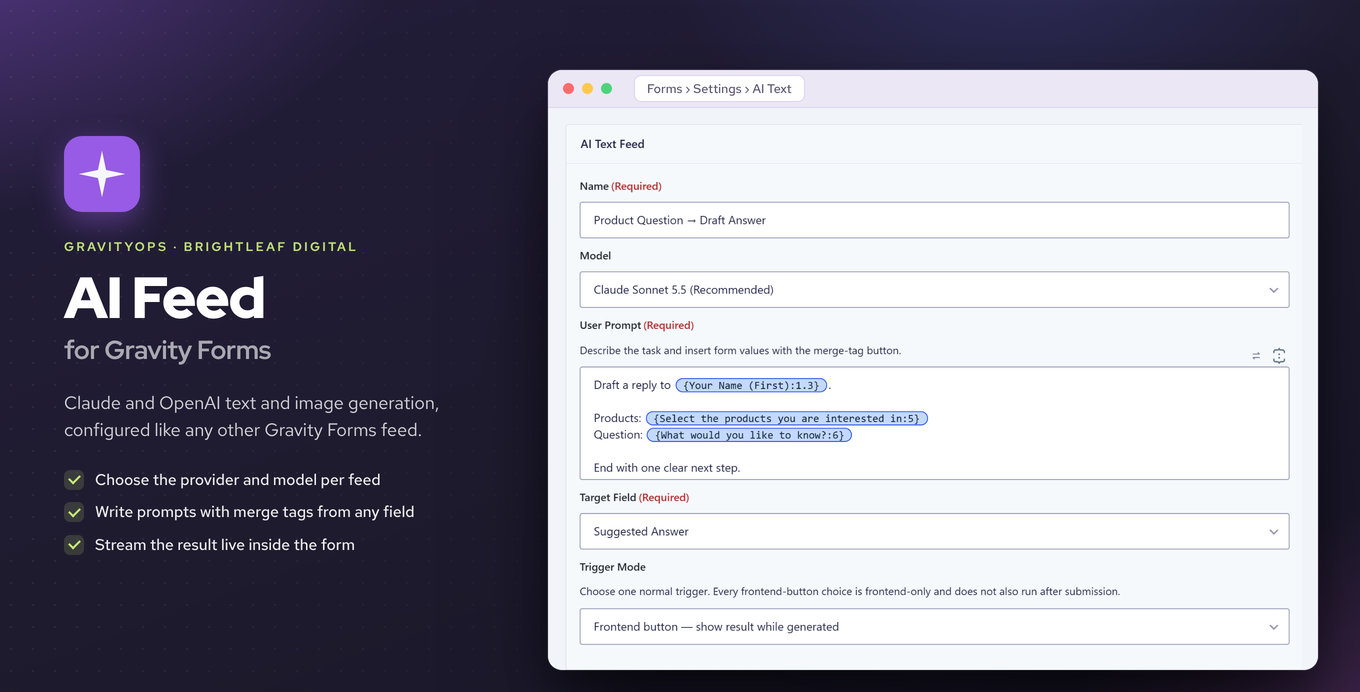
You pick a provider (Anthropic Claude or OpenAI) and a model for each feed, write a prompt using merge tags, and choose which field receives the AI response. Generation can happen when the form is submitted or in real time with streamed output while the user is still on the form.
A built-in usage ledger tracks provider, model, form, feed, entry, and token counts. You can set monthly token caps per form or per feed to keep API costs under control. API keys are stored in the plugin's own credential store on your site.
Key features
- Two feed types: text generation and image generation
- Choose Anthropic Claude or OpenAI per feed
- Write prompts with merge tags and send the response to any field
- Run generation on submission or in real time with streamed output
- Native feed steps for Gravity Flow users
- Usage ledger tracking provider, model, form, feed, entry, and token counts
- Monthly token caps per form or per feed to limit spend
Good for
Written from Brightleaf Digital’s own listing. Version and dates come straight from the source and are checked weekly.
Which AI providers does this add-on support?
It supports Anthropic Claude and OpenAI. You choose the provider and model separately for each feed.
When does the AI generation run?
You can trigger it on form submission or in real time while the user is filling out the form, with streamed output.
How are API keys stored?
API keys are kept in the plugin's own credential store on your WordPress site, not sent to a third-party service.
Does it work with Gravity Flow?
Yes, it includes native text and image feed steps for Gravity Flow users.