
The same form jobs come round every term: build a permission slip, chase the parents who haven’t replied, count answers by class, close the form after the deadline, then copy it for next time. Since version 3.1, Gravity Forms includes an MCP server that lets an AI assistant such as Claude or ChatGPT do those jobs inside your WordPress site, using only the tools you switch on.
Tested November 2026 with Gravity Forms 3.2.2 on a test site running WordPress 7.1. I switched the MCP server on, connected to its endpoint and ran a school trip scenario from start to finish: build the form, check it, collect replies, report on them, close it and copy it. I sent the requests to the endpoint directly rather than through a chat app, so what you see below is exactly what each tool did. I did not test the setup screens of individual AI apps.
What the Gravity Forms MCP Actually Is
MCP (Model Context Protocol) is a standard way for AI apps to use tools on other systems. Gravity Forms registers its features with the WordPress Abilities API (added in WordPress 6.9) and publishes them as MCP tools: list forms, create a form, search entries, update a notification and so on. Your AI app connects as a normal WordPress user, so it can only do what that user is allowed to do, and only with the tools you have ticked.
Gravity Forms announced the feature in August 2026 and followed up in November with a post on using it in schools, which is where the scenario in this post comes from. It is included with every license. There is no extra add-on to install.
What You Need
- Gravity Forms 3.1 or newer, any license (Basic, Pro, Elite, Nonprofit or Developer)
- Self-hosted WordPress 6.9 or newer. Gravity Forms says WordPress.com is not supported.
- An AI app that can connect to MCP servers. The Gravity Forms docs cover Claude Desktop, Claude Code, Cursor and VS Code, and ChatGPT Business with the dedicated endpoint.
- A WordPress user for the AI and an application password for that user
- A staging copy of your site for the first run. Write tools change real forms and entries.
Step 1: Switch On MCP
Go to Forms → Settings → MCP, turn on Enable MCP and click Save Settings. The tool lists, endpoint settings and skill download only appear after that first save.
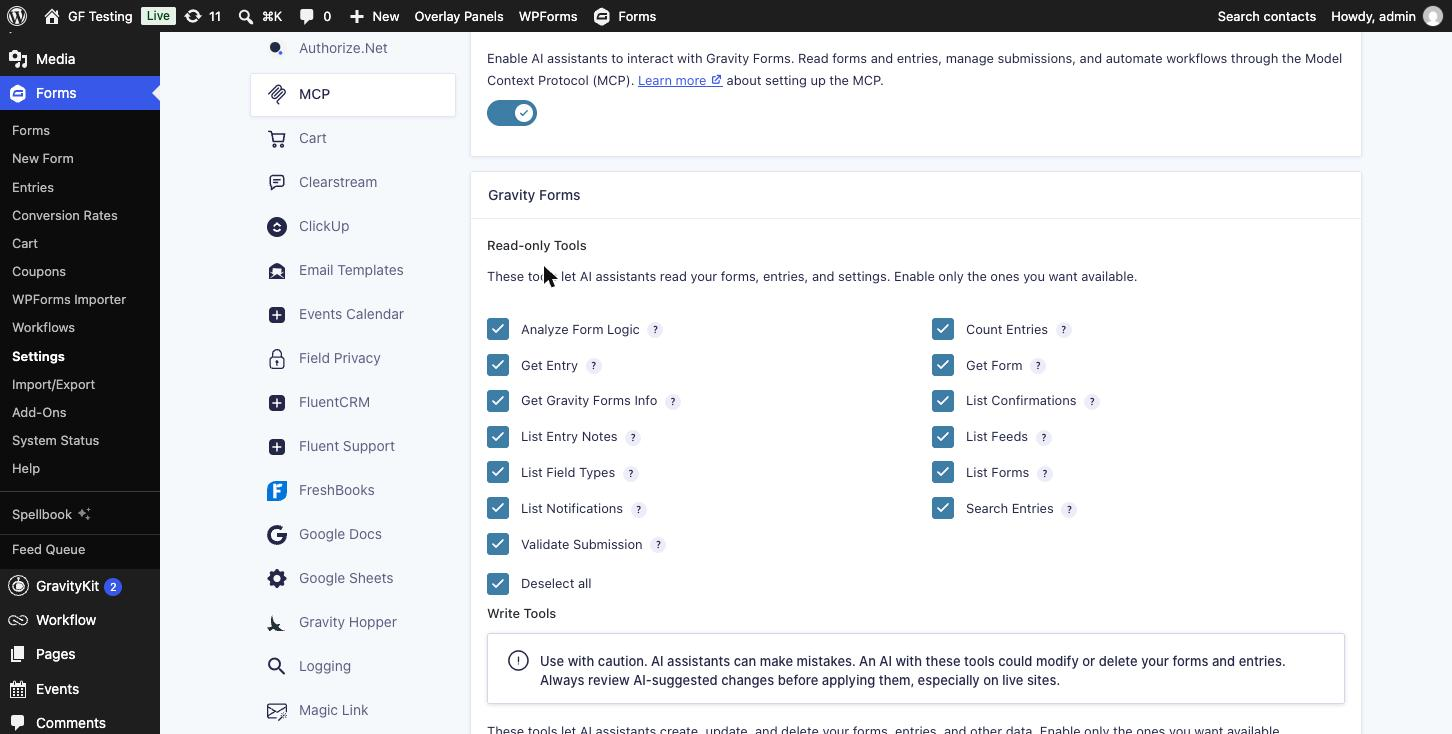
Every tool starts unticked. Turning MCP on without ticking anything gives the AI nothing to work with.
Step 2: Pick the Tools
Tools come in two groups, each with a select-all box.
| Group | Tools | What they let the AI do |
|---|---|---|
| Read-only (13) | Analyze Form Logic, Count Entries, Get Entry, Get Form, Get Gravity Forms Info, List Confirmations, List Entry Notes, List Feeds, List Field Types, List Forms, List Notifications, Search Entries, Validate Submission | Look at forms, entries and settings. Validate Submission checks test data against a form without saving anything. |
| Write (19) | Create, Update, Duplicate and Delete Form; Create, Update and Delete Entry; Submit Form; Send Notifications; Add Entry Note; create, update and delete Feeds, Notifications and Confirmations | Build and change forms, add or edit entries, submit forms as a visitor would, resend emails and set up add-on feeds. |
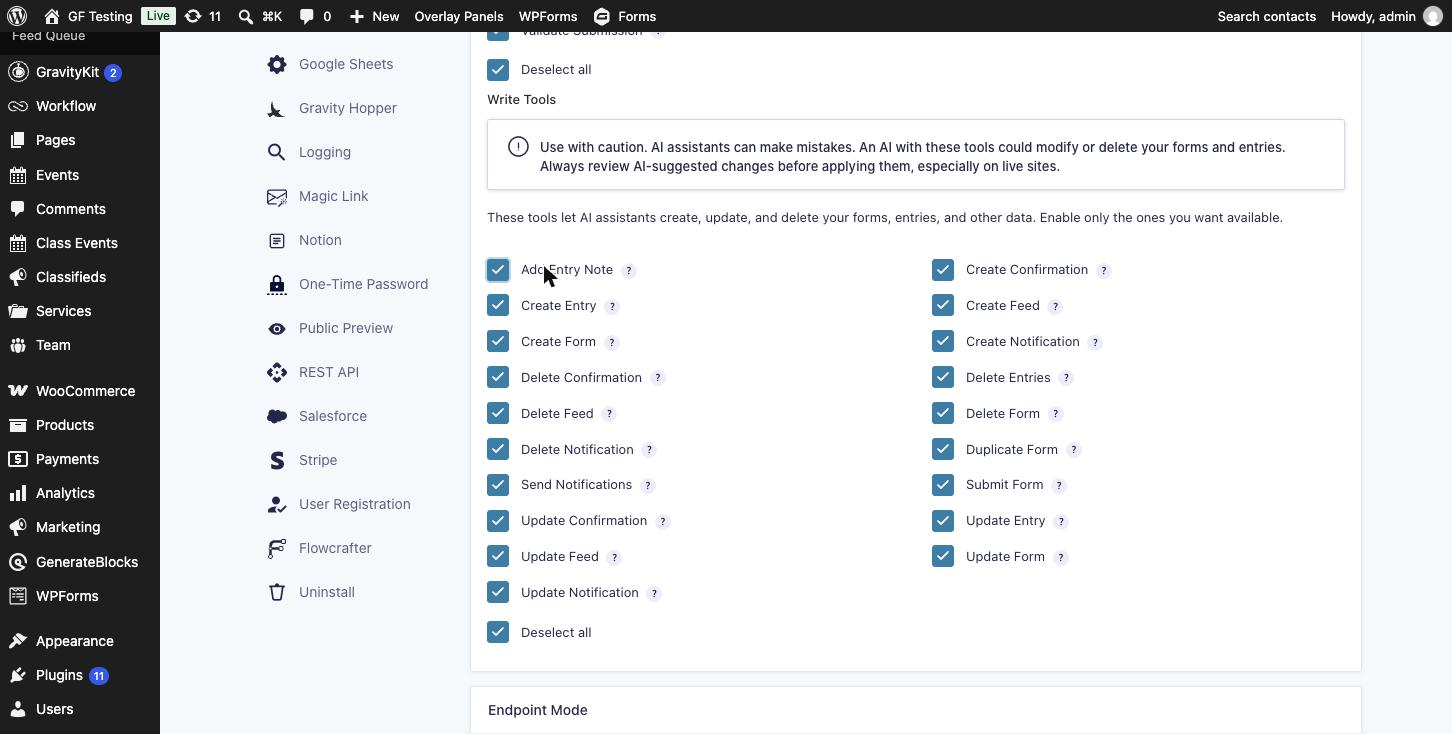
Start with read-only. Reporting questions such as “how many replies from 5A?” need nothing else. Tick individual write tools when you have a job for them, and leave the delete tools off until you trust the setup.
Step 3: Copy the Endpoint URL
Further down the same page:
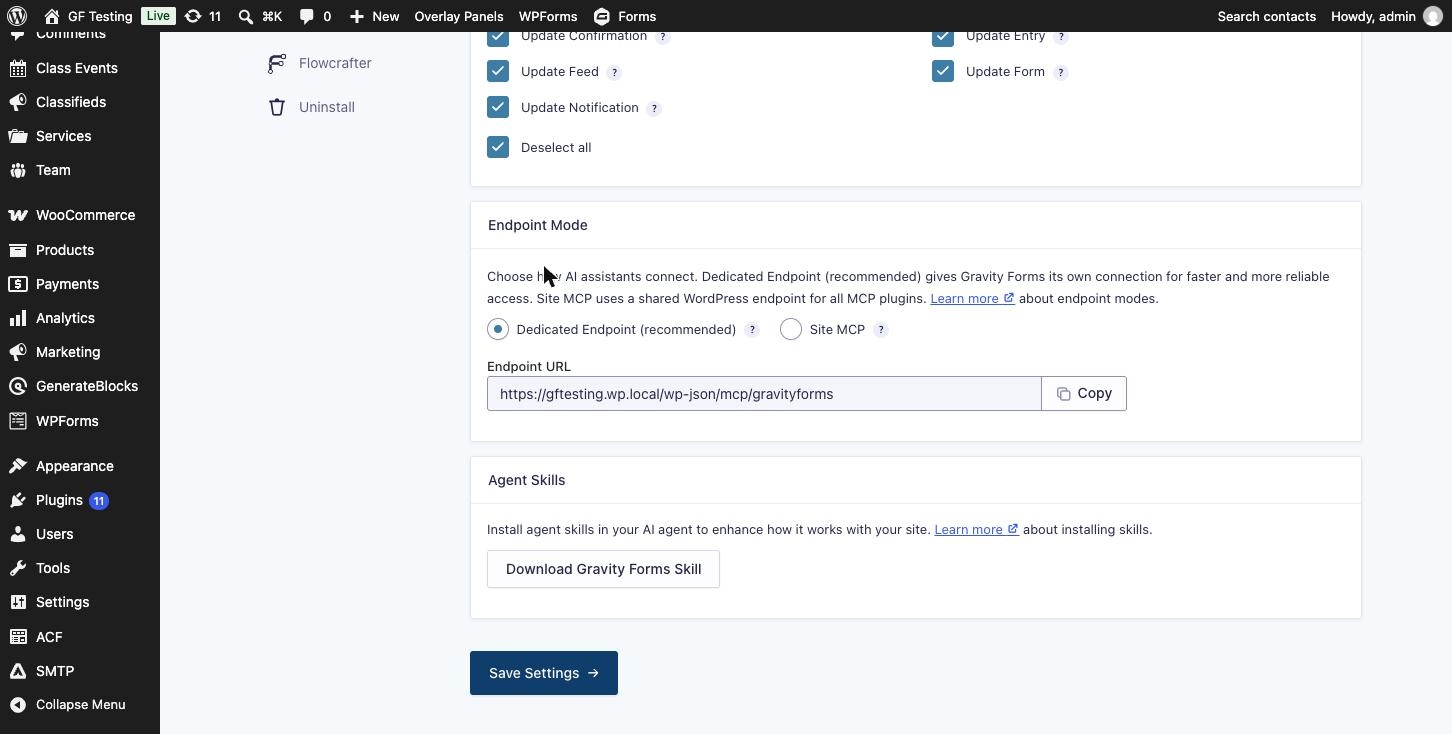
- Endpoint Mode: Dedicated Endpoint (recommended) gives Gravity Forms its own MCP address. Site MCP shares one WordPress endpoint with other plugins that publish abilities, which on my test site included WooCommerce and WordPress core.
- Endpoint URL: the address your AI app connects to, for example
https://yoursite.com/wp-json/mcp/gravityforms. Use the Copy button. - Agent Skills: Download Gravity Forms Skill gives you a skill file for AI apps that support skills. It teaches the AI how to use the tools well, such as which tool to call first and how to lay out fields.
Step 4: Create a User and Application Password for the AI
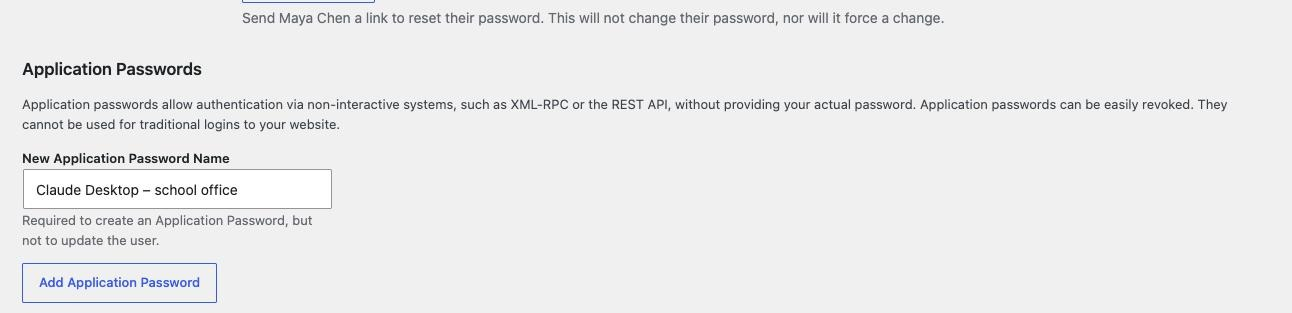
The AI signs in with a WordPress username and an application password. Gravity Forms recommends a dedicated user rather than your own admin account, a separate application password for each AI app, and only the Gravity Forms permissions that user needs. Create the application password at Users → Profile → Application Passwords, give it a name you will recognise, and copy it when WordPress shows it. It is shown once.
Each tool checks a Gravity Forms capability before it runs. These are the ones that matter:
| Capability | Tools that need it |
|---|---|
gravityforms_view_entries | Count Entries, Search Entries, Get Entry |
gravityforms_edit_forms | List Forms, Get Form, Update Form, Analyze Form Logic, the feed, notification and confirmation tools, List Field Types |
gravityforms_create_form | Create Form, Duplicate Form |
gravityforms_delete_forms | Delete Form |
gravityforms_edit_entries | Create Entry, Update Entry, Submit Form, Validate Submission, Send Notifications |
gravityforms_delete_entries | Delete Entries |
I tested this with a Subscriber that had only gravityforms_view_entries added. It could count and search entries, but List Forms and Get Form were refused because they need gravityforms_edit_forms. So a “reports only” user still needs that capability if you want the AI to find forms by name. A plugin like Members is the easy way to add individual capabilities to a role.
Step 5: Connect Your AI App
Each app has its own settings screen or config file for MCP servers. You give it the endpoint URL, the username and the application password. Gravity Forms keeps the app-by-app instructions in Connecting to the MCP Server. Follow those rather than a copy here, because app settings change often.
Once connected, ask something read-only first, such as “List my Gravity Forms”. If the AI says it has no Gravity Forms tools, check that MCP is on, at least one tool is ticked and the user has the capability for it.
Step 6: Run a School Trip From Start to Finish
This is the scenario I ran on the test site. Each heading is the kind of thing you would type to your AI app, followed by the tool it uses and what came back.
“Build a consent form for the Year 5 Science Museum trip”
Student first and last name side by side, class (5A, 5B or 5C), parent name and email, and “Do you give permission?”. If yes, ask about medical needs or allergies, ask for details if there are any, and ask for an emergency phone number. If no, give them an optional box to tell us why.
Create Form built it in one call and returned the new form ID and an edit link. The form has 10 fields and four conditional logic rules.
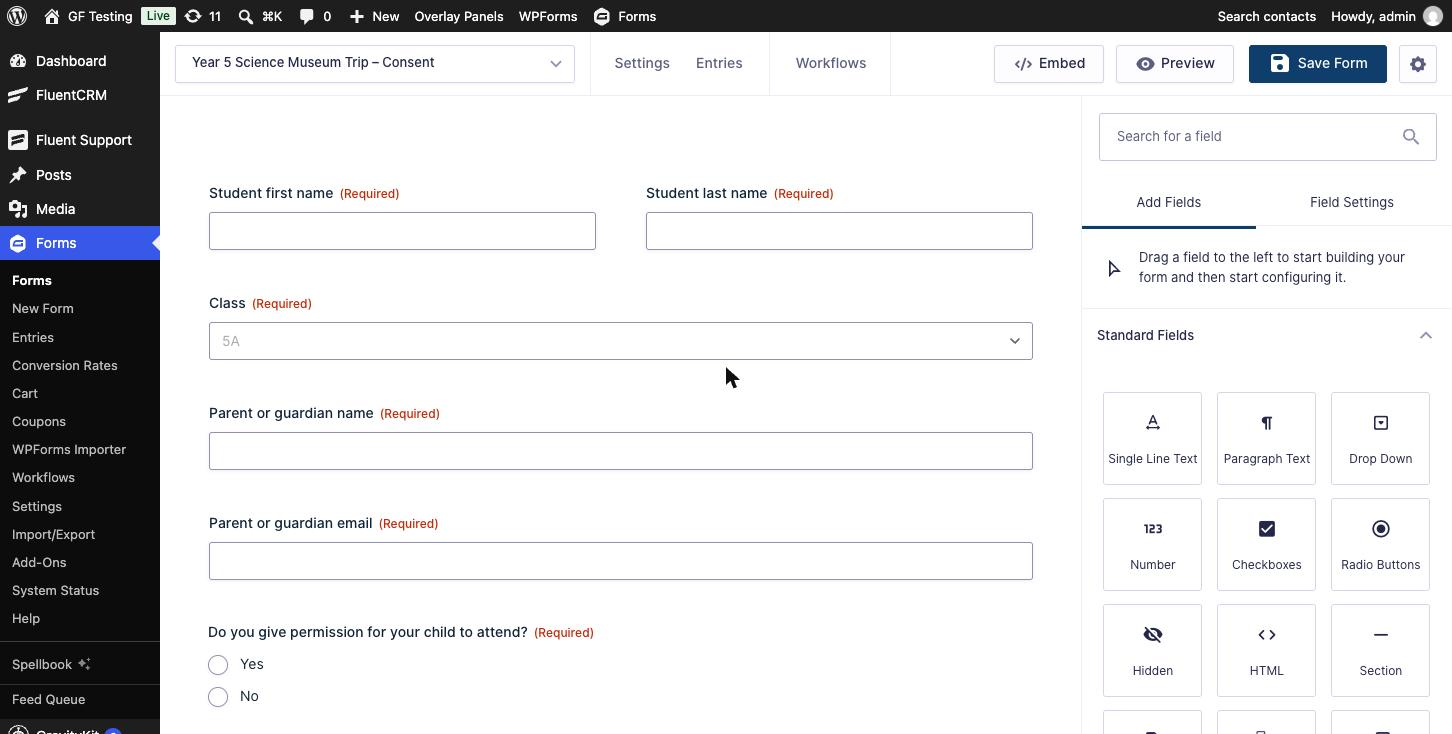
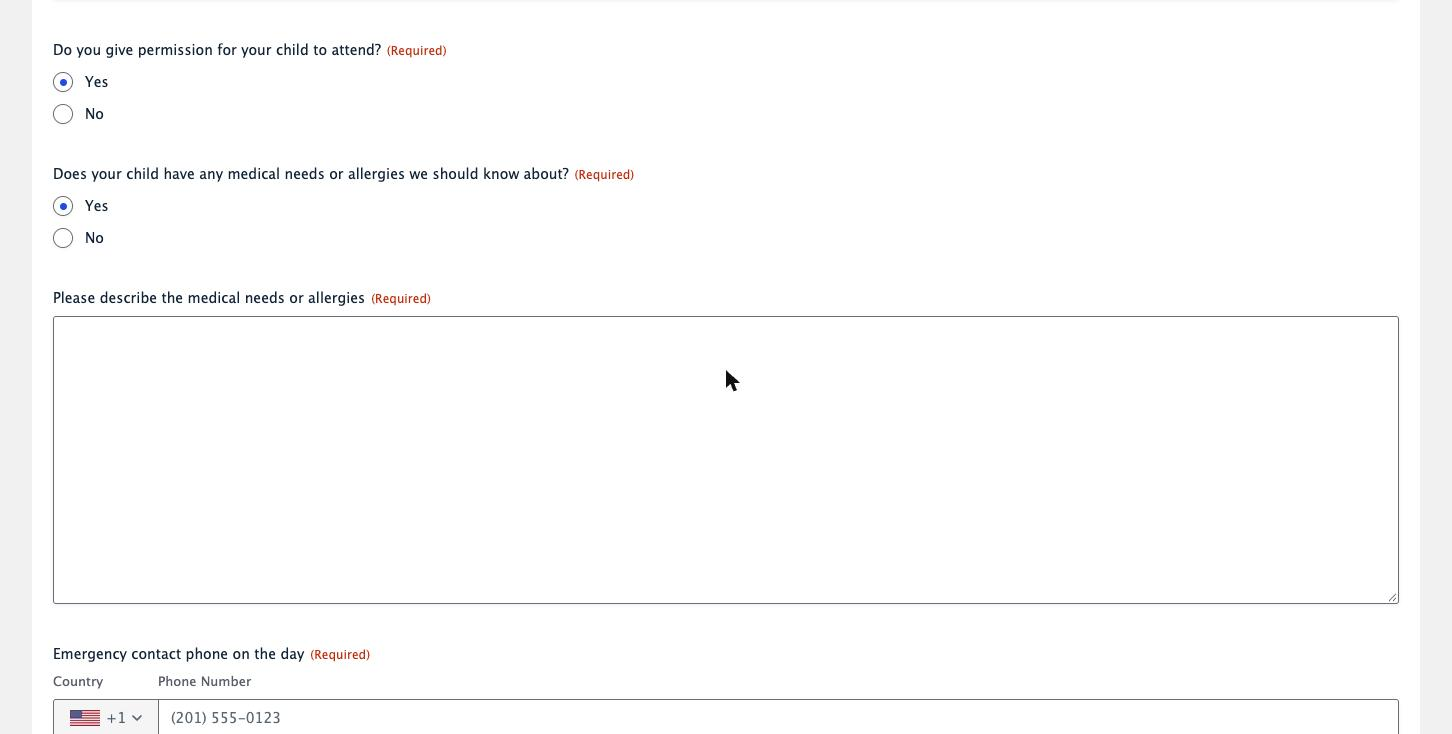
Analyze Form Logic is the useful check here. It returned every rule with field labels instead of IDs, plus a map of which answer controls which field: permission controls the medical question, the emergency phone and the “why not” box, and the medical question controls the details box. No rules pointed at missing fields.
“Check this test reply before parents see the form”
Validate Submission runs Gravity Forms validation without saving an entry or sending emails. A reply with permission and medical needs both set to Yes but no details came back invalid, with “This field is required” for the details box and the emergency phone. It respected the conditional logic: those fields are only required when they are showing.
“Add four test replies”
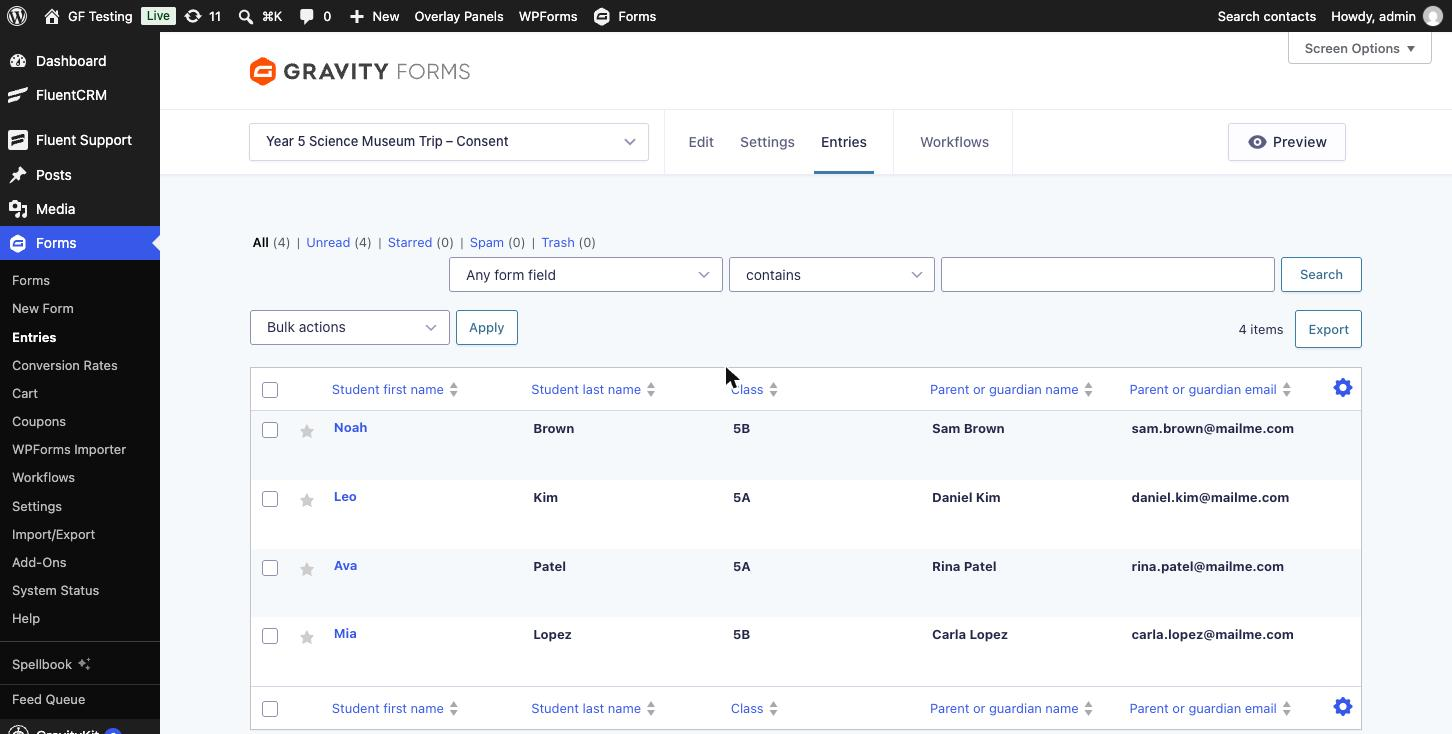
Submit Form goes through the full Gravity Forms process, exactly like a parent pressing Submit: validation, entry, notifications, confirmation and feeds. Four replies went in, two from 5A and two from 5B, one of them saying no.
“How many 5A parents have replied, and which children have medical needs?”
Count Entries filtered on the Class field returned 2. Given several form IDs at once, it returned a count for each form plus a total, in one call. Search Entries filtered on the medical question returned the one matching child with every field, including the allergy details.
“Close the form, the deadline has passed”
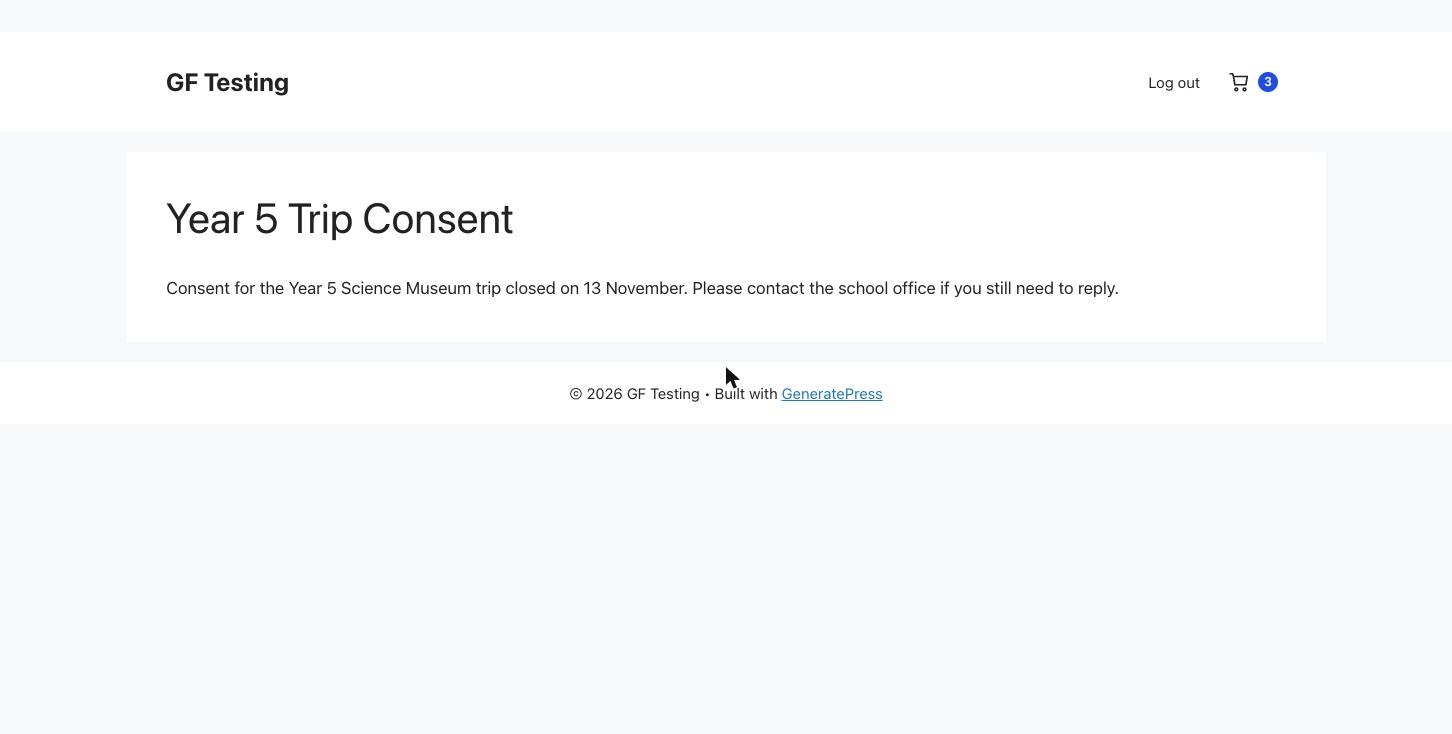
Update Form turned on the form schedule with an end date in the past and a closing message. The page that embeds the form now shows only the message. The entries stay where they are.
“Copy it for the Year 6 planetarium trip in March”
Duplicate Form copied the fields, notifications and confirmations. It also copied the schedule, so the new form was closed from the start. The tool’s own instructions tell the AI to review the copy afterwards, and this is why. After renaming it and turning the schedule off, the copy was ready to use.
“Delete the spare copies”
Delete Form moves a form to the trash by default, where you can restore it. Permanent deletion needs the AI to repeat the exact form title back. A permanent delete with a missing title was refused with “Confirmation does not match the form title”. Delete Entries works the same way: permanent bulk deletes need the exact phrase DELETE {count} ENTRIES FROM FORM {id}.
Things to Know
- Unticked tools are really off. With only the read-only tools ticked, the endpoint listed 13 tools, and asking it to run Delete Form returned “Tool not found”. Even code running inside WordPress was refused when it called a switched-off tool.
- The AI sees what the user can see. Search Entries returned a child’s allergy details in full. Whatever the tools return is sent to your AI provider. Gravity Forms permissions are site-wide, so a user who can read entries can read every form’s entries. For forms with medical, financial or student data, check your school or company policy on AI tools before ticking the entry tools.
- Unauthenticated requests are refused. A request to the endpoint without credentials got a 401 “Sorry, you are not allowed to do that.”
- Phone fields built through MCP use the new international format. Gravity Forms 3 stores these as structured data with a country code. Test submissions with a plain number like (555) 201-3344 were rejected as “Please enter a valid phone number in the correct format” until they were sent in that structure. Real visitors using the form are not affected. If your AI’s test replies keep failing on a phone field, this is the reason.
- Submit Form and Send Notifications send real email and run feeds. Test on staging, point notifications at test addresses first, or put Gravity SMTP into testing mode.
- Turn on logging. Gravity Forms recommends enabling logging under Forms → Settings → Logging so you have a record of what each agent did.
- It is only as careful as your instructions. The tools follow the request they are given. Read what the AI plans to change before you approve it, especially Update Form, which replaces the whole field list when it is given one.
Alternatives
- GravityKit MCP: a free, open-source MCP server from GravityKit that runs on your own computer and talks to the Gravity Forms REST API with an application password. It covers forms, entries, feeds, notifications and submissions, keeps delete tools off unless you turn them on, and adds tools for GravityView and other GravityKit products when they are installed. Worth a look if you already use GravityKit. You need Node.js and some comfort with a config file.
- Site MCP mode: if you also want the AI to work with WooCommerce or other plugins that publish abilities, the Site MCP endpoint mode puts them all on one connection. The trade-off is one big tool list instead of a focused Gravity Forms one.
- Doing it by hand: everything in this post can be done in the Gravity Forms admin. MCP saves time on repetitive jobs and quick questions about entries. It is not a replacement for knowing how your forms work.
Who Should Use It
Use it if you already use an AI assistant at work and spend time on repeat Gravity Forms jobs: schools and clubs with termly forms, agencies building similar forms for clients, and anyone who gets asked “how many people signed up from…?” every week. Start on staging with read-only tools and a dedicated user.
Hold off if your forms collect sensitive data and you have no policy on sending it to an AI provider, if you cannot give the AI its own limited user, or if you are on WordPress.com.
Frequently Asked Questions
Does the Gravity Forms MCP cost extra?
No. It is built into Gravity Forms 3.1 and newer and is included with every license, including Basic.
Which AI apps work with the Gravity Forms MCP?
Any app that can connect to MCP servers. The Gravity Forms documentation has setup instructions for Claude Desktop, Claude Code, Cursor and VS Code, and covers ChatGPT Business using the dedicated endpoint.
Can the AI delete my forms or entries?
Only if you tick the delete tools and the WordPress user it signs in as has delete permissions. Deletes go to the trash by default, and permanent deletes require the AI to repeat the exact form title or a confirmation phrase.
Does the AI get access to my entries?
If you tick the entry tools and the user can view entries, yes. Whatever the tools return, including personal data in entries, is sent to your AI provider. Leave the entry tools off or use a user without entry access if that is a problem.
Should I connect the AI with my admin account?
No. Create a dedicated user with only the Gravity Forms capabilities it needs and a separate application password for each AI app, so you can see and revoke each one.
What is the difference between Dedicated Endpoint and Site MCP?
Dedicated Endpoint gives Gravity Forms its own MCP address with only its tools. Site MCP puts Gravity Forms on a shared WordPress endpoint together with other plugins that publish abilities, such as WooCommerce. Gravity Forms recommends the dedicated endpoint.
Does it work on WordPress.com?
No. Gravity Forms lists self-hosted WordPress 6.9 or newer as a requirement and says WordPress.com is not supported.
Need More Help?
If you still need help, use the chat or leave a comment below and we’ll get back to you.
Related Articles
- Gravity Forms Pricing: Basic vs Pro vs Elite (Which License to Buy)
- Free Gravity Forms Templates: Where to Find Them and How to Import
- Show or Hide Gravity Forms Fields by User Role
- GP Limit Submissions Review: Control Form Entry Volume with Gravity Wiz
- How to Migrate Gravity Forms From One Site to Another
Comments